Black Peter (Zwarte Piet)

We in the Netherlands have an annual celebration that is related to some older, Catholic tradition but which has lost most of its religious background in recent years. What we celebrate is the name day of Saint Nicholas, the patron saint of children and the city of Amsterdam. My city! Saint Nicholas was a bishop and has a strong Roman Catholic background. But as I said, since the Netherlands is becoming more open towards other religions and atheism, the holy man has actually become less Christian and more a People’s person. Religious symbols are disappearing from his clothes and the connection to the Catholic church also doesn’t exist anymore. It’s a celebration that has evolved. (And which happens to be slightly related to Santa Claus.)

The celebration actually starts with the “arrival by steamboat” from Spain in one of the Dutch harbors. This always occurs on a Saturday, in the second half of November. And it’s celebrated all over the Netherlands, with a lot of time on television. Almost every child under the age of 10 will either be at the event or hang around the television because it means that from now on, until December 5th, they can place their shoes next to the fireplace, often with a drawing or little gift for the Holy Man or his horse Amerigo, and the next day the present is replaced by a nice gift or delicious candy. And the main event is on December 5, the day before the official celebration, when children are given much bigger gifts and adults are exchanging presents with one another.

It’s a great event and it makes a lot of people very happy in the Netherlands. And since the celebration has lost its religious value, even atheists and people with other religious backgrounds have no problem celebrating this day. While it’s like Christmas, it’s also different because it’s more open towards people who don’t believe what Christians believe. It’s something that no one should consider to be offensive. Yet, some people did find something they consider offensive…

Because Saint Nicholas, or Sinterklaas as we call him, doesn’t just arrive with his horse. He also has a lot of helpers who are dressed like 17th century pages, with lace and a feathered cap. And they are called “Zwarte Piet” or “Black Peter”. And yes, they are black. No, they’re not people of color but they are black people. Might sound politically incorrect but technically, these are people who have painted their faces black, while wearing black gloves and covering all other skin parts.

And that offends some people, today…

So, what’s the real problem? Well, historically, Sinterklaas did not have any helpers. However, in history the Good and Holy man was often followed by a demon or evil spirit who would punish those children who have behaved badly in the past year. It offered a great educational tool to make children more well-behaved until in more recent years, such stories about demons who kidnap disobedient children started to sound like child abuse. Scaring children to behave was suddenly ‘not done’. So this demonic helper or evil spirit had to be replaced by something nicer.

Around 1850, the Dutch teacher Jan Schenkman (1806-1863) started to write stories about Sinterklaas and introduced his servant, who had no name at first. (He also introduced the steamboat and told that Sinterklaas was from Spain.) This servant was the one who had to climb through chimneys to take the presents from the shoes to replace them with candy and gifts, thus his face would be black from soot. And at first, Sinterklaas only had one servant.

During the 20th century, people started to think that one servant would be nice, but multiple servants would be even nicer. So more “Pieten” (Black Peter’s) were introduced, and they all got specific tasks. A bit like the Smurfs, who also have various jobs. There’s Papa Smurf, with red clothes and a beard, who seems to resemble Sinterklaas a bit. And there are all those other smurfs and for a long, long time, they were all male. Just like the Pieten are all male. (Although some are played by women!) Indeed, it became more fun and the celebration started to become even bigger.

When you think of Piet as the servant of Sinterklaas, with soot on his face to make him black, you can’t consider the image to be offensive. Unfortunately, in the second half of the 20th century, when people became more sensitive about the Netherlands being a former slave-keeping country, some people started to relate Piet with the slaves from those times. Piet is a servant and he’s black, he must obey Sinterklaas so he’s a slave. Not the page in fine clothing as he’s normally depicted but these people decided to look at him as being a poor slave. So people started to protest about him.

And then there’s the practice of blackface, a practice that was common until the second half of the 20th century. Theaters sometimes needed actors with dark skins but they didn’t want to hire people of African descent,. Actors needed to be Caucasian so to depict colored people in theaters and movies, those actors would just paint their skin black for the duration of the movie or play. It made a nasty stereotype of the non-Caucasian people and it was considered a bad form of discrimination. It’s still not illegal but people in the USA are almost lynched when they do this for whatever reason. (Yet Eddy Murphy was allowed to “whiteface” himself for the movie “Coming to America”…)

But consider the situation in the Netherlands. Piet is no slave, but a hired servant, who is fed and clothed by his employer Sinterklaas. He is also very well-respected by the Dutch people and especially by children. Piet stands above racism because he isn’t black. He isn’t white, yellow, red, blue or purple either. He’s just a man covered with soot from too many chimneys. We can’t help that the practice of blackface caused racism in other countries but believe me, no one in the Netherlands believes that Piet is a slave from Africa or whatever. No one even thinks of this as his background, except for a small group of people who got offended by the practice of blackface in the USA, who can’t see the difference between people of African descent and people covered in soot.

Because under the soot, there’s a man just like you or me. (And yes, if you’re a woman, sometimes Piet is played by a woman too.) This person can have any skin color, but you can’t judge this person based upon his skin color, since you can’t see his skin color. Well, technically speaking… He’s covered with soot! Soot makes all men equals.

If Zwarte Piet is related to racism, it’s because he makes people realize that we’re all the same! No one treats him differently just because he’s black. No one here even dares to discriminate him based on his appearance, except for a few people who think they should be offended by this all. Some people who are too small-minded to think outside the box. Zwarte Piet is an important part of the Dutch culture and actually helps people to become more tolerant towards one another.

And yes, I realize that it’s a huge culture shock for people who are not accustomed to this practice. Just like the nudist beach is a huge shock for people who have learned to be ashamed about their bodies so they cover it up completely. Think outside that box! Open your mind and realize it’s not about skin color. It’s not about former slaves serving their masters. It’s about happiness, being merry, celebrating and lots and lots of candy. A celebration that ends with the exchange of gifts that has become so popular that people with all kinds of religious backgrounds will celebrate it.

Racism is a double-edged sword. Expats from all around the world arrive at the Netherlands and immediately relate Zwarte Piet to the practice of blackface, where Caucasian people would depict colored people to stereotype them. That’s definitely not the case here! You should know the true story behind this servant, who can be any person. And who is a person who is highly respected here, worshiped by anyone below the age of 10. There is no racism here, because even those young kids don’t see a former slave. They see a man covered with soot. They see the paint, thinking it’s soot. They know these people aren’t born with that color. Well, maybe one or two did have a dark color at birth, but not all of them. Our children learn to look beyond color. And isn’t that a tradition that you should actually keep?

There’s also some interesting reading about this subject at the site thedossier.nl.

And for those who can understand the Dutch language as it is used around 1850, take a look at “St. Nikolaas en zijn knecht“, (PDF here)which shows the original stories written by Jan Schenkman.
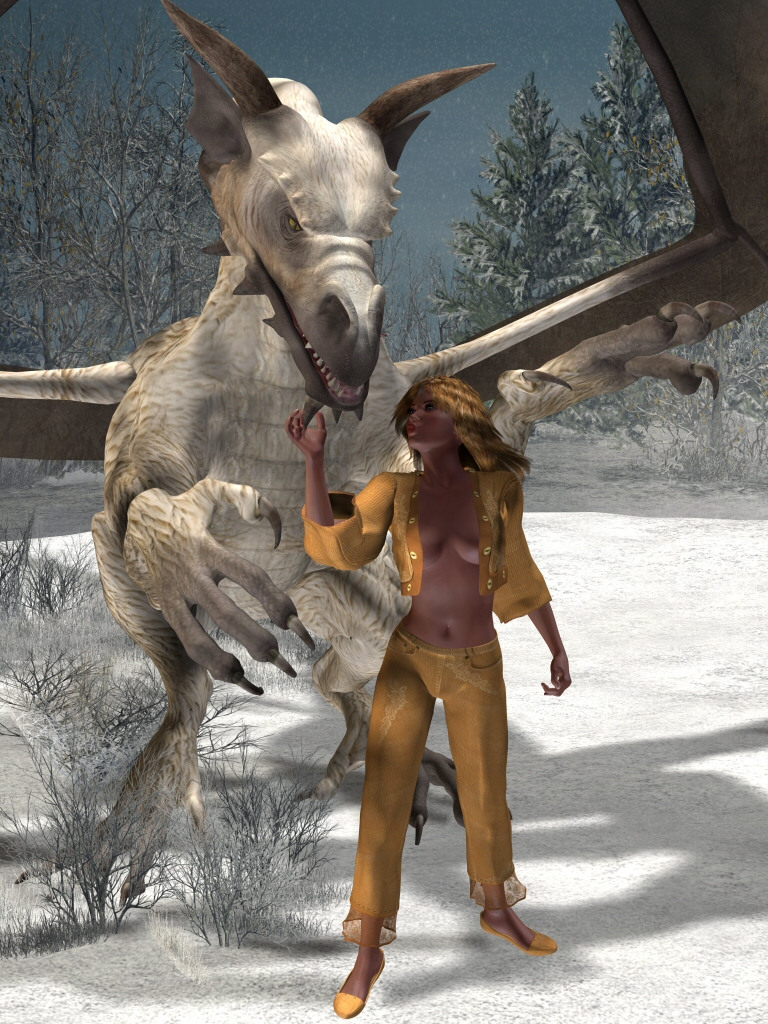
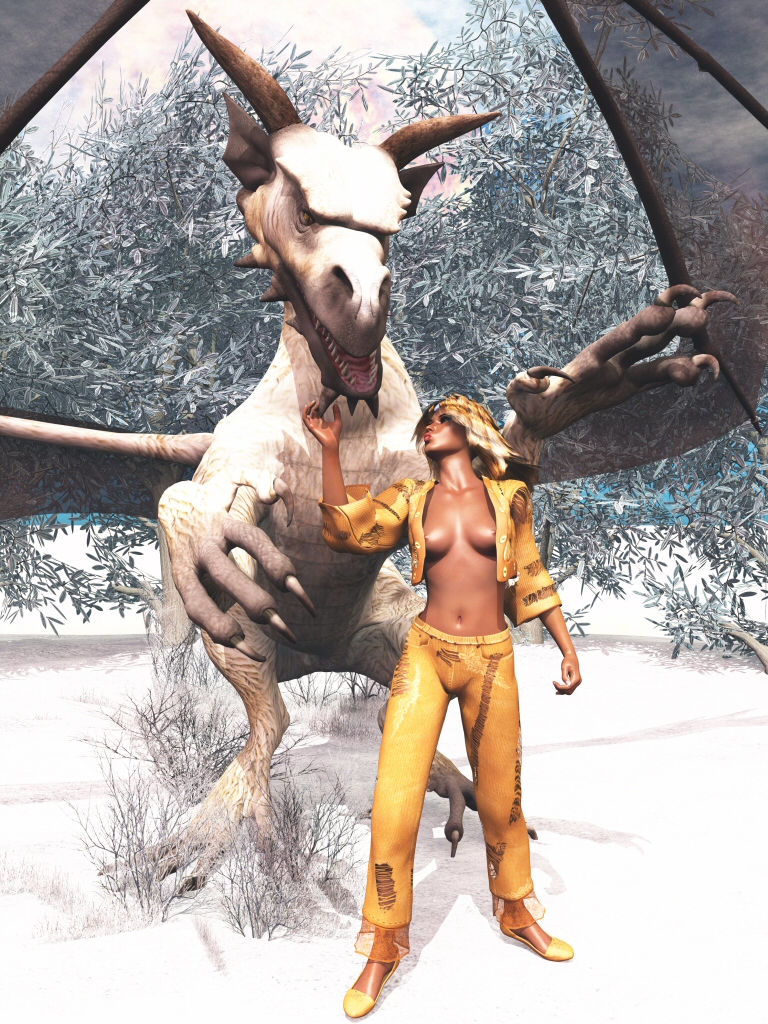
Poser Pro 2012 versus Vue 10 Complete (Slightly NSFW because: nipples)

A long time ago, I’ve created an image in Poser of Victoria 4 together with a large, white dragon in a winter landscape. Back then, I liked the result but recently I decided to redo the render with Vue. And while I’ve tried to keep it as similar to the original one, there are a few differences that I added.

First of all, I changed the background. Poser works with backdrops and the result is clearly visible in the Poser image. You can see where the backdrop starts because it’s darker than the foreground. In Vue, I removed the backdrop and put some real plants in it. I also made sure the landscape behind it would be as white as possible so the illusion of snow continues.

I also changed the clothes a bit. When I created the Poser image, I did not have the option to turn clothes into rags.

The angle of the camera is also slightly different and because of the way the camera is set up, the clothes are exposing a bit much of the model’s skin. Oops! Yeah, suddenly her nipples are partially visible… I could Photoshop them away, though. I decided not to do that.

The lighting is different too. In Vue, the light is much brighter.

But an important difference is the transparency of the dragon’s wings! Because the image is lighter and because I’ve added “real plants” in the background, they’ve become much more transparent. It’s a neat effect, also demonstrating the fragility of dragon wings.

So, what do they look like, these images? Well, below on the left is the Poser image and on the right, the Vue image. Click on them to view the bigger versions. Originals are at 3000×4000 pixels but to save disk space, I’ve uploaded them at size 768×1024.

Skin colors in images

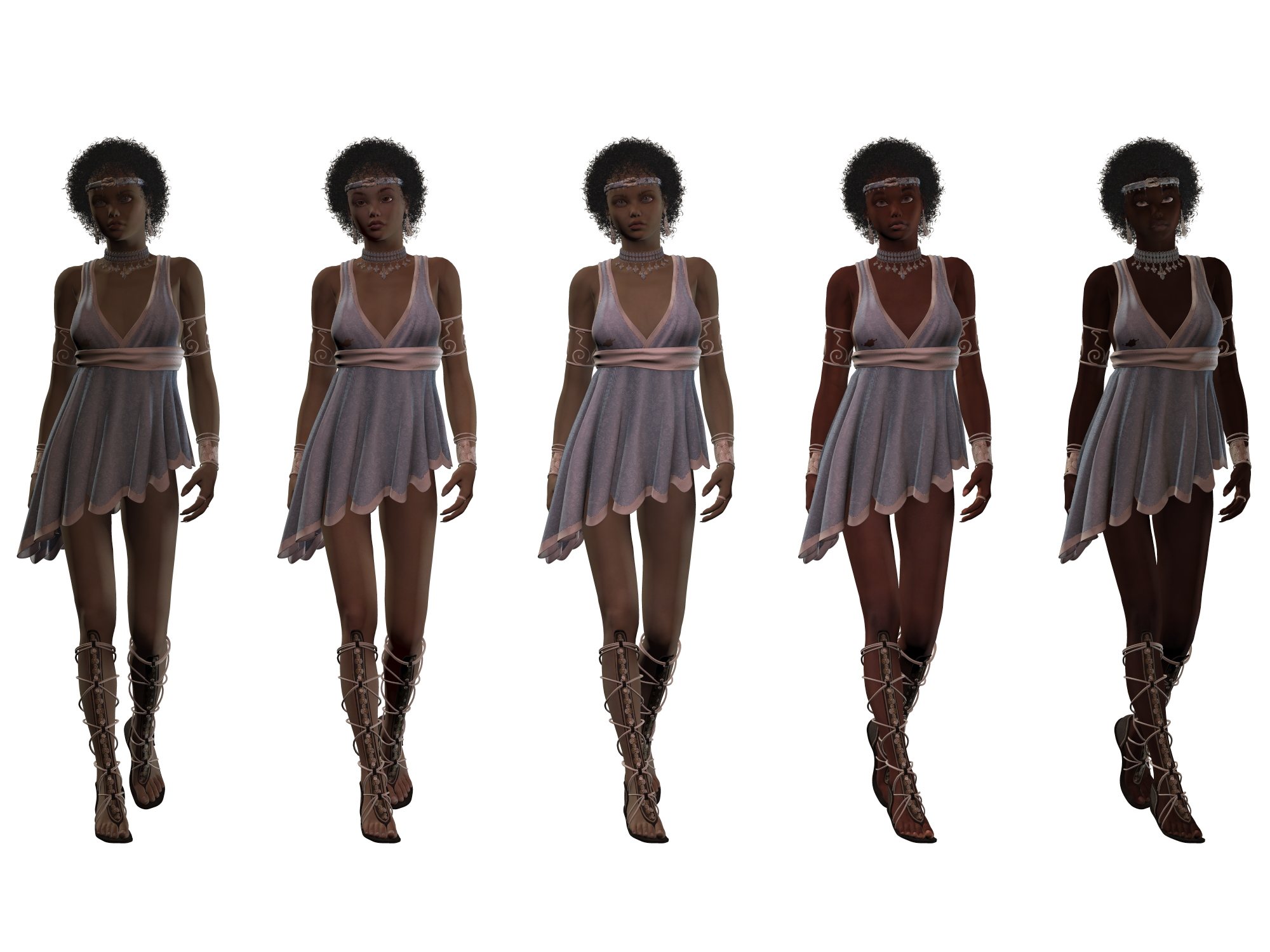
When you look at all kinds of pictures then you will notice that most models tend to have a light-colored skin. Which is a bit off since there are many dark-skinned women too who are modelling. And while discrimination might be a reason for this, I think there is a better reason, which I can best show by creating an image with one model and 5 different skin tones. And sure, I will keep it decent. The model will wear clothes and jewelry to highlight her a bit more.

The model I’ve used is Raevin and I kept her human ears and made her breast to the regular V4 shape. (In other words, zeroed it.) It’s a pretty shape and a slightly dark skin, so a nice balance between two extremes. I saved her with all clothes and then imported her five times to get five identical figures. Then I’ve started changing their skin colors.

The two on the right use a skin called “Raw Macy” and “Raw Macy 2”, which are a dark and very dark skin. The left-most is Lolo and to the right of her is Mylin, an oriental skin. The middle one is still Raevin. I’ve avoided adding a very light skin because that would upset the contrast even more. And I won’t render it too big in Poser since these five models together eat up a lot of memory. I do have 24 GB of RAM available, but when I see that it’s using 20 GB already, I just know it’s working very, very hard to process all those models! Fortunately, I use 64-bit versions of Poser and Vue, else I could never create images at those high resolutions.

And rendering this many models isn’t much slower than rendering a single model. At least, not as long as the rendering engine doesn’t have to use the swap disk to retrieve data. Lots of memory in your computer helps a lot!

Well, this is the result in Poser:

And the reason why dark-skinned models are less popular is suddenly visible. Even though all have exactly the same body shape, the one on the right is more like a silhouette with a dress than a real model. Raevin and Mylin are actually the ones that are the most visible.

I’ve also rendered the above image with Vue, which results in a much better image. But Vue also shows very clearly how darker women disappear and seem to be like shadows in art.


The girls on the left are still very good, with Mylin being the one who is the one who’se body and facial expressions are the clearest. Do keep in mind that they all use the same facial expressions!

The darkest Macy is shiny  which happens to be highlights in the skin. I could have removed those. But her facial expressions aren’t very visible, and those facial expressions are important in model photography and CGI art. The lighter Macy is better in facial expressions but still not very useful.

So, an important reason for dark-skinned women to be less popular has nothing to do with racism. Their facial expressions are harder to see in still images, no matter how pretty they look in real life.

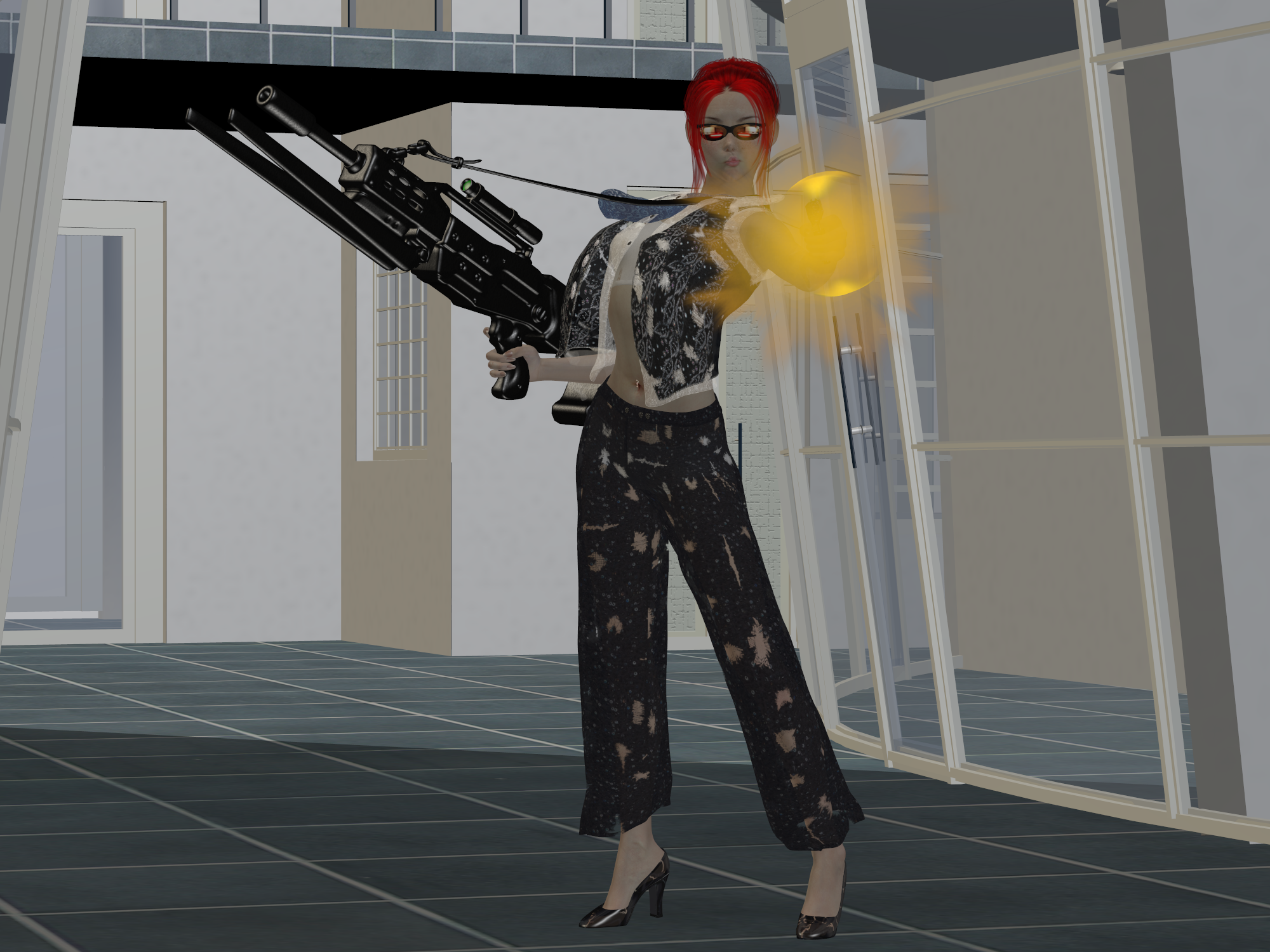
Business is War – The image!

And here’s an update for my previous post! I expected this render to take a bit longer, especially since it started a bit later than I wanted. I had to make one more final fix, so I started rendering and watched some TV on my computer. My monitor also happens to be a TV screen so that makes it easier for me.  I started around 21:00 and now, at 22:25 the image is finished!

I did already notice a few flaws, though. But those are very minor, easily forgotten. Well, okay… Her hair is poking through her vest on her left shoulder. And her right shoe is a bit too low so it goes through the floor with its sole. And her belly piercing is slightly in front of her belly instead of sticking through her belly. One place where things must poke through other things and it just didn’t happen!

I like the fact that I took away the blouse. This way, her bikini top is better visible and you can notice that it also has a few tears. It makes her more attractive, while she’s still a bit intimidating and that’s needed, because something should balance out with her weapons! Also very pretty is her shadow, and even the hole in her pants that’s visible in her shadow so I’m glad I did make that last lighting adjustment.

Still, one other flaw I just realized. The scope on her gun isn’t supposed to be a laser-sight… Oops! 🙂

Business is War – creating CGI art.

This time, I want to show how I use Poser Pro 2012 and Vue 10 Complete to create the CGI art that I like to create. And don’t worry since I will keep it decent. The amount of time I’ve spent on this is about three hours, although most of the time is used by waiting for the rendering to finish. Time, which I could use to do other things, like playing Freecell or just to browse the Internet.

First, I have to choose a model. Since I have several pre-made models, I chose the one I like to call “Lisa Xanthe”, a redhead with a very nice shape. And since I’ve promised to keep this post decent, I’ve already given her some clothes that she will wear under the other clothes that I will add later.

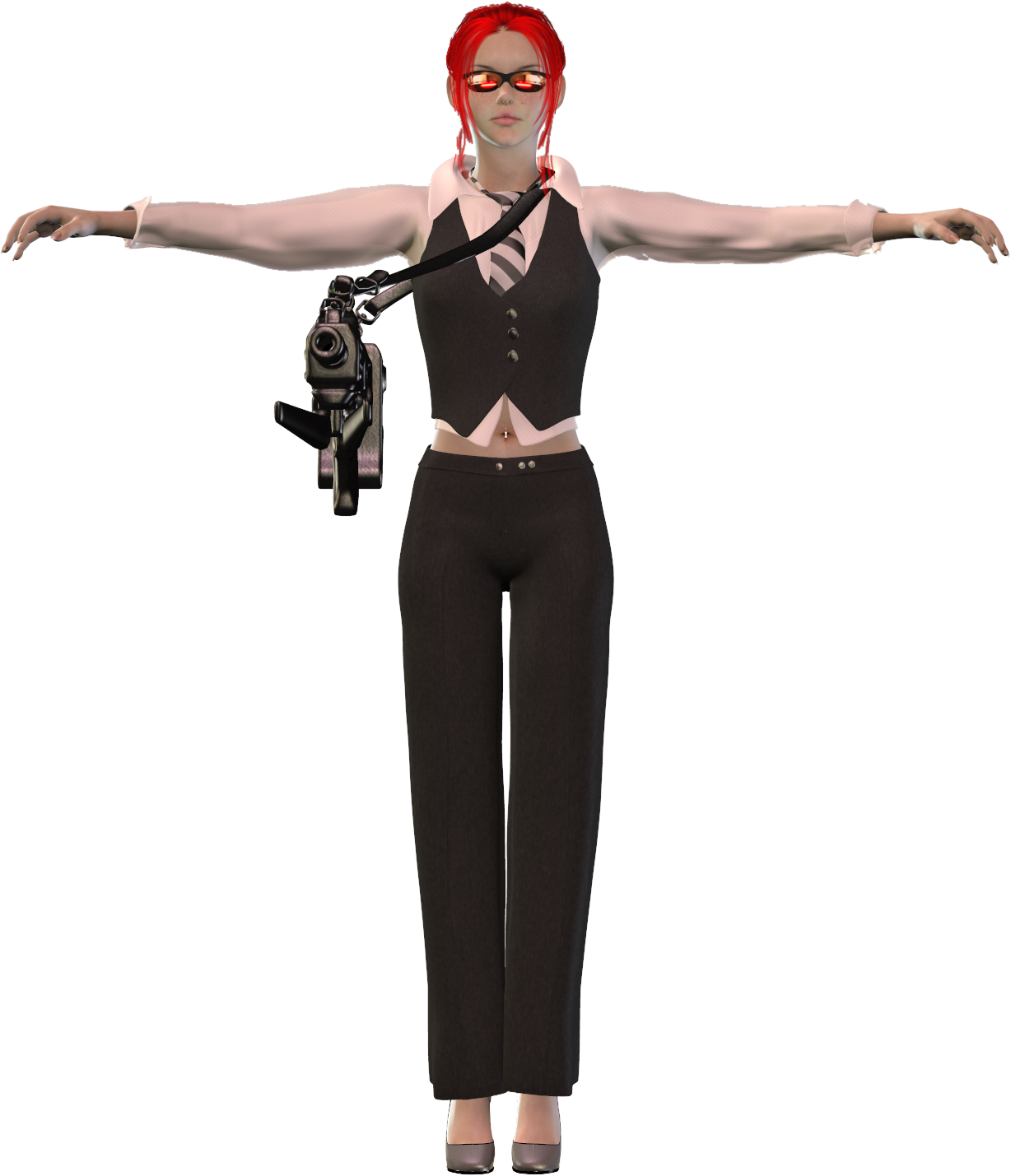
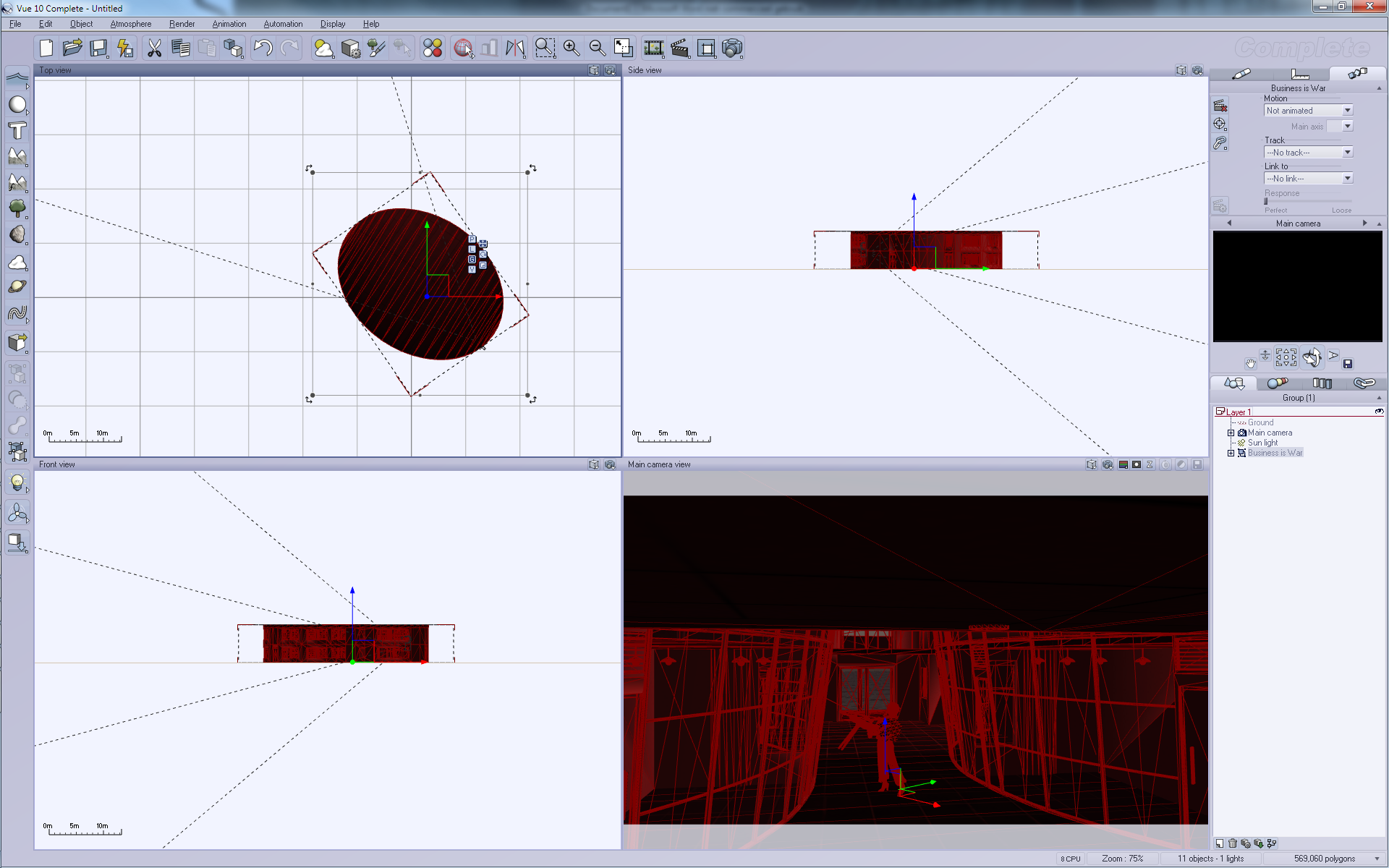
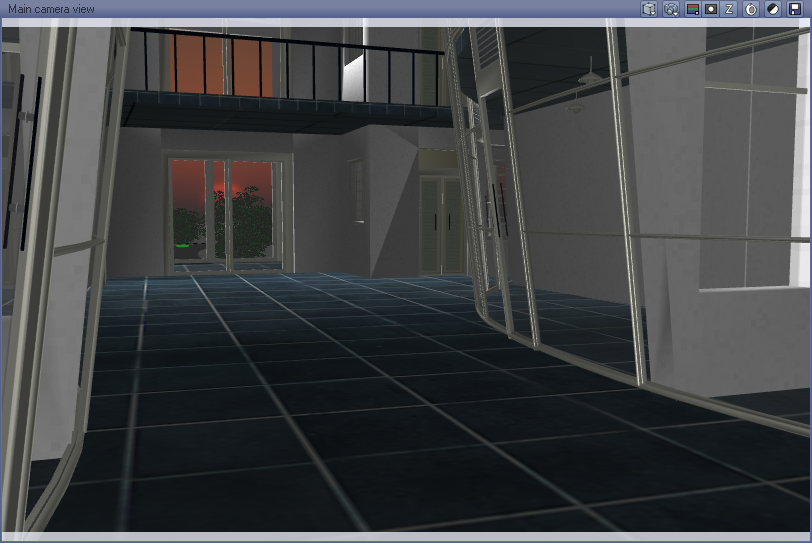
Here you see the basic screen of Poser. On the left are dials that you use to set parameters for the model. On the right you see an overview of all the parts within the model. The white lines in the middle screens is actually a spotlight that’s used to add light to this scene. Without light, it would all be black.

On the dials on the left you can already see that I can adjust quite a lot of parameters on this model. Size and shape of her breasts, hips, arms and legs and whatever more. Basically, all I use for my work is a single model with a lot of different parameters. And yes, those parameters can make her appear younger, older, larger, obese and even pregnant, if you’d like.

I then decided to add clothes. I have a set of clothes called “Cuore di moda” and this makes her look a bit like a woman who likes to do business. Yet it’s also sexy enough to make her more like a gangster-girl or even gangster-boss. It’s very fashionable.

I combined it with a machine gun from a set called “Elay V4” which isn’t available on DAZ3D anymore. I will later also add a handgun to this all but for now I still have to think if she will hold the gun with one or two hands…

Her glasses are from Fawne V4 which is also a very sexy set of clothes, but I didn’t consider it the right clothes for the scene I want to create, which I’ve called “Business is War” in my mind, although the final image isn’t really clear about the ‘business’ part…

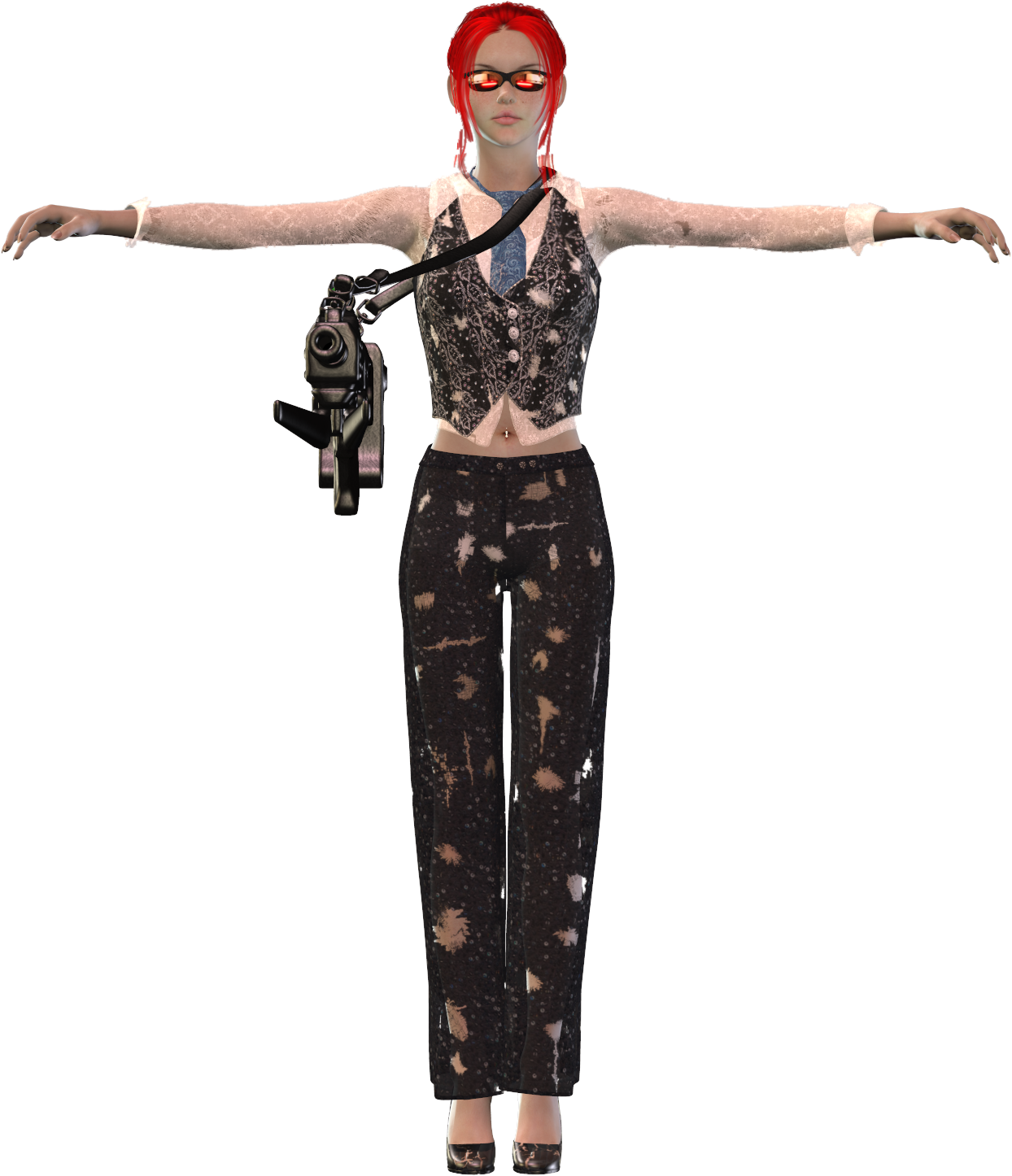
Anyways, the clothes look good, but I need this girl in true battle-mode with heavily-torn clothes! So the fun of tearing up her clothes begins! This is done with the Rag-erator for Poser.

If she wasn’t wearing that bikini top and bottom, you’d probably see some naughty parts now…

But before tearing it all up, I did change the textures on those clothes.

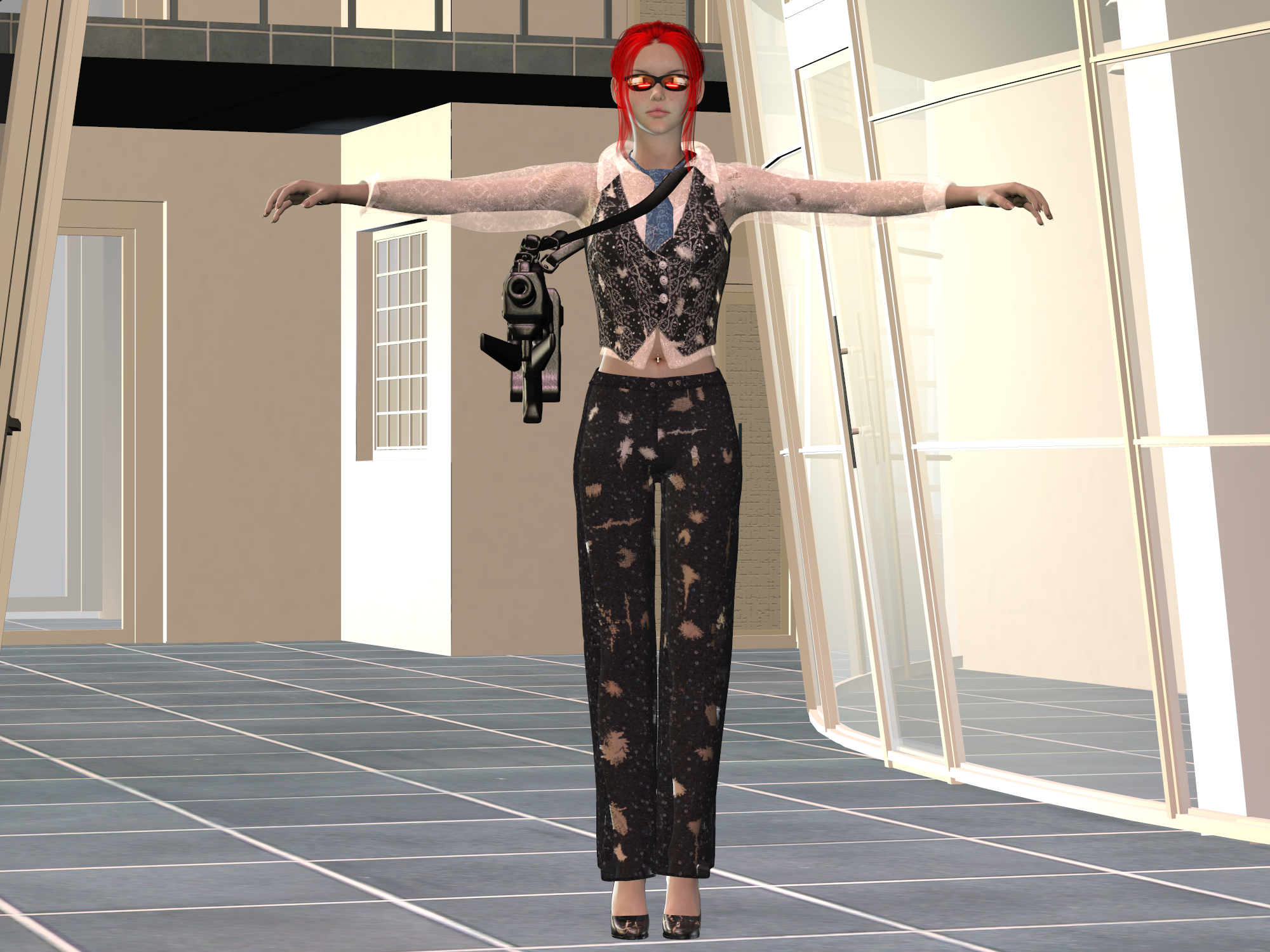
Next,I have to add some background-prop. I decided to use a crime lab without equipment to look a bit like a shopping center. 

I like this because of the glass windows and the doors in the background. And although I already place it in a way where you can see the back wall, this will not be the final angle at which I will render the final image.

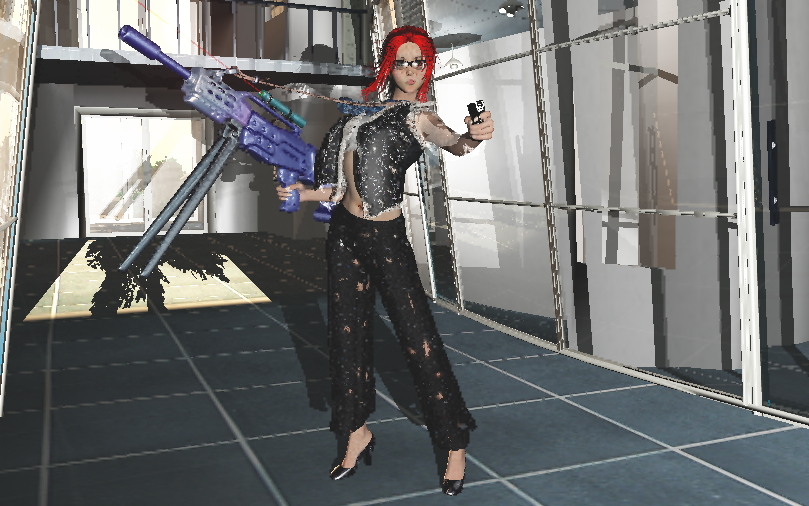
But before I export it all to Vue, I first need to make Lisa pose in some way. I want to make it appear as if she’s firing that gun so I ended up with the following pose:

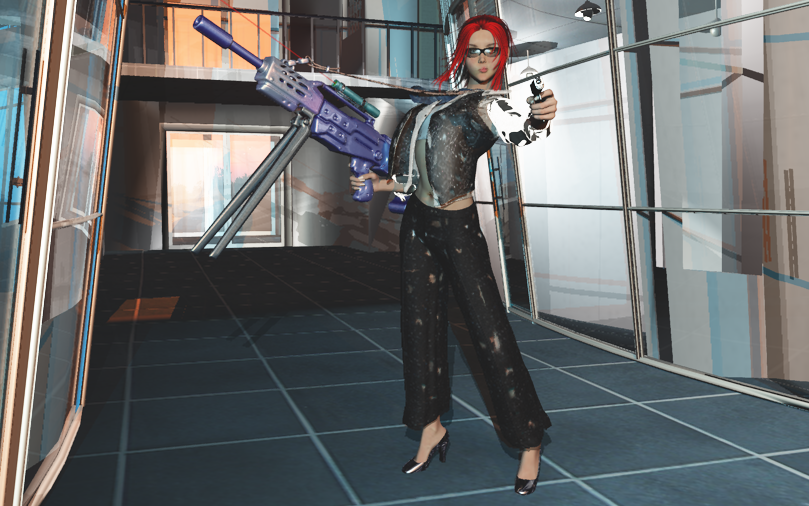
But after some considerations, I decide that I still don’t like some things within this pose so I adjusted her hair, added a laser light and made a minor alteration to her machine gun, resulting in the next image:

And that will be the complete scene that I will export to Vue. Just some minor checks to make sure nothing is poking through something it shouldn’t poke through and hoping everything is complete.

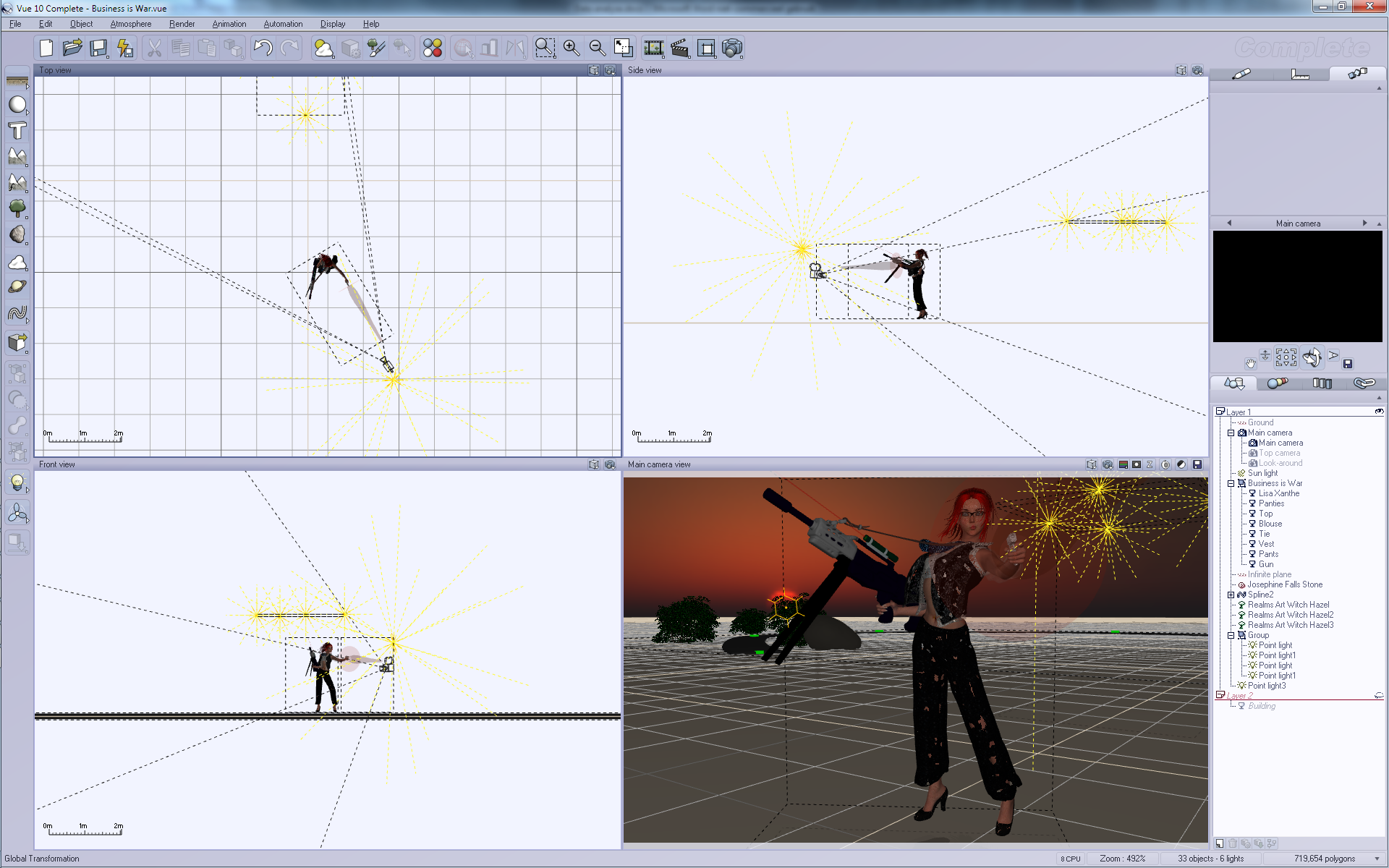
The imported pose isn’t in the right camera location but here, you can see the parts that make up Vue.

Vue provides four view-ports so you can see your model from different angles. Poser also provides such a view but I don’t like it much because you’ll also see less details so you have to move around a lot to check everything.

On the right you can see the layers and the location where I can alter the textures and materials I want to use. I will be using those options to e.g. change the glass, make the gun more shinier and to re-position certain things.

On the left, you can see buttons that I can use to add more objects to my scene. Well, I will be adding a large rock, three trees and a road somewhere behind the back door and I will add a few lights inside the room on the right and a few more close to the camera. The sun will be positioned behind the back door and will shine through the window in the back.

Considering the proper render settings is always a bit difficult. I chose ‘Ultra’ because my machine can handle this but for complex scenes the use of ‘Ultra’ will take many days to finish. I also chose an aspect ratio of 16:10 which matches my screen resolution of 1920×1200. Rendering the whole thing to screen will allow me to see it’s progress.

Once I’ve chosen my preferred settings it’s time for a quick render preview. 

I am reasonable happy with this result already but it’s far from perfect. Let’s look more closely to this preview:

The light is too hard and it reflects too much in the back door. Also, the sunlight is too dominant, obscuring everything behind the door! And I might want to alter some more materials… So to look more closely at details, I split things up over layers. And to hide the building, I move the building to the second layer! Now I can use my camera to look around Lisa to make sure she’s looking okay. Lowering the sun a bit and then I’m ready to look at the second layer.In the second layer I just examine the building, making sure the road in the back ends at the door and checking the lights.

Things are nearly finished now, although I still have to check if things are really okay. So, the first pre-render:

And I’m not happy with it. Her white shirt is too white and it just doesn’t look good. I could return to Poser and remove it but I can also do that in Vue itself. I just disable it!

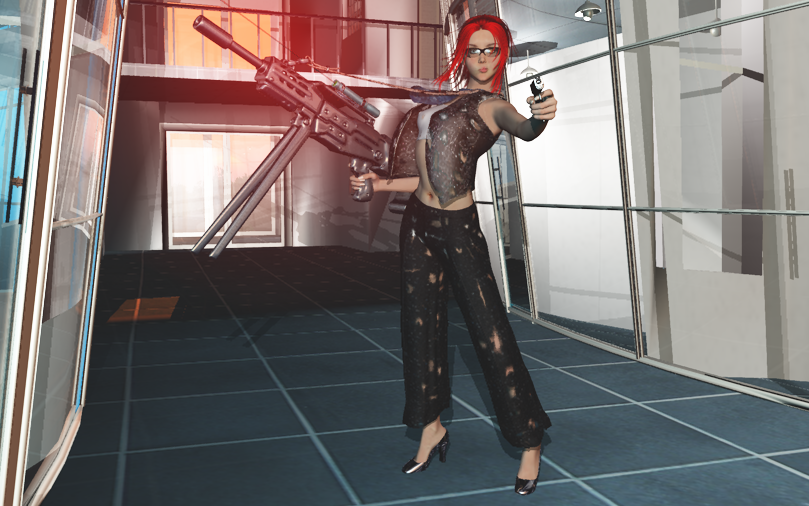
Once disabled, I can render the image again, which results in the next pre-render:

Here, I’ve already lost two details in my image. The muzzle flash from her gun had already been removed for being too dominant in the image and now the shirt is gone too. Fortunately, she’s still wearing a bra so things stay decent enough to avoid the [NSFW] tag.

But there are too many shadows, so a new pre-render is required:

And I decide to make the laser light more dominant by adding a strong, red glow to it. And I will change the colors of the machine gun! So now we get the next pre-render:

Here, I’m still not happy with the lights and shadows. So I adjust them even more! There are actually a total of 8 lights in this image! Four are in the room on the right, which makes that window extremely white. There’s a sun far, far away in the background. And there are three lights around the camera, all of them emitting a special glowing gel-light. One orange, one blue and the last white/blue. The white light is the one that casts shadows, the other lights just add more color contrast.

That last image will be my final pre-render. It is now Wednesday  20:25 and I will start the real rendering step, rendering this image at a whopping 3840×2400, four times the resolution of my screen.

Why? Because I can!

Anyway, I don’t know when it will finish so I will start rendering and check once in a while to see how much has progressed. Once finished, I will post the final result.

Creating landscapes…

I like to create CGI images and I use Poser to set up the model, add clothes and other props and then put them in a specific pose that would generate an interesting image. That sounds a bit complex and to be honest, yes! It is complex, because you have to consider many small things to get the best result. It’s a bit like programming, actually. You start to think about an interesting design and as you advance with the project, you’ll have to focus on smaller and smaller details. At first, it’s thinking about clothing and poses, next you have to check if the clothes fit good enough. Then you have to look even closer making sure no small items are poking through the wrong places. Nails from fingers, for example, when your model is touching something.

But hey, that’s one part of the whole process. I want to talk about landscaping! And for this, there are two interesting tools that are available for free! There’s Bryce from DAZ3D which happens to be a great tool. It’s available for both Windows and Apple’s Mac systems. I’ve downloaded it in the past, just never started to use it. Instead, I use Vue 10 Complete which is a bit expensive when you’re just starting since, hey! It costs money! So, if you want to start for free, get Vue 10 Pioneer instead! The difference? Well, you will be missing a few practical tools like importing models from Poser, and you’ll be missing some extra content. But, it’s a start.

Setting up a proper scene isn’t that difficult, although you will need a lot of patience, since rendering landscapes takes a lot of time. This is especially true when a lot of details in your image. I’ve rendered images at sizes 4000×3000 pixels with highest quality within 20 minutes, but those had just simple details and barely any reflections. I’ve also rendered a battle between a female warrior and a big dragon, far above the clouds with the landscape far, far away in the back. It took over 6 days to render and this is the result:

To be honest, the original size was 4000×3000, which happens to be huge, even when rendering with 64-bits software on a system with 24 GB of RAM. And part of the complexity are the clouds, which both reflect and refract light. And even though I didn’t much detail in the ground, the terrain that’s visible also happens to be a huge area.

So, problem one with rendering landscapes it that you need to be patient or just have to accept smaller images.

Would this image render faster if I hadn’t added a Poser model in the foreground? I don’t think so, since the model actually make the image less complex! It hides the items behind it, and those items would be harder to render because of transparency and shape. There are no shining items in the model, so it doesn’t reflect much, and the only transparent part happen to be the hair of the woman and the wings of the dragon.

Of course, the most complex part of landscapes are plants and especially grass. An image that I managed to render quickly just didn’t have much details. A starry night with a strange sun, one tree in the background and the top of some castle. This combined with a female warrior fighting against a lizard-man resulted within 30 minutes in the following image:


And why did it render that fast? Simple! The sky has no clouds and except for the tree on the right, the number of polygons happens to be very low. It’s not one of my best artwork but it’s a nice example of something that can be done fast, and tells us about the next problem…

Problem number two: the more polygons your image has, the longer it will take to render. And please do realize that plants will generate a lot of polygons. Filling your landscapes with trees and grass might turn a render-time from hours into days.

To solve this, try to cut the number of polygons in your image by, such as only adding details in front of the camera, and not all around the terrain. And putting simple objects in the foreground will remove the more complex details in the background, except when the foreground object is semi-transparent.

Although clouds can result in some complex images, they do become less complex when there’s just sky behind them. You could, for example, generate an image with a female warrior riding a dragon with a floating castle in the clouds, like this one:

It took over 10 hours to render, even though I’ve kept most of it quite simple. The reason for the delays were the clouds in this case, which had to show part of the terrain and castle. By avoiding a lot of plants and grass and just using a simple texture for the terrain, I did manage to keep the render reasonable fast. Also, not having too many light sources helped a lot.

Problem 3: each additional light source or glowing object will add to the complexity and thus to the total render time!

Still, you can reduce the influence of those lights by editing them as objects, and limiting the things that they would shine on. For example, you could add a light in the foreground which would only light up the dragon and warrior models, but not the terrain or clouds. That way, the objects in the foreground become more clear. (You might also want to turn off shadows for those lights!)

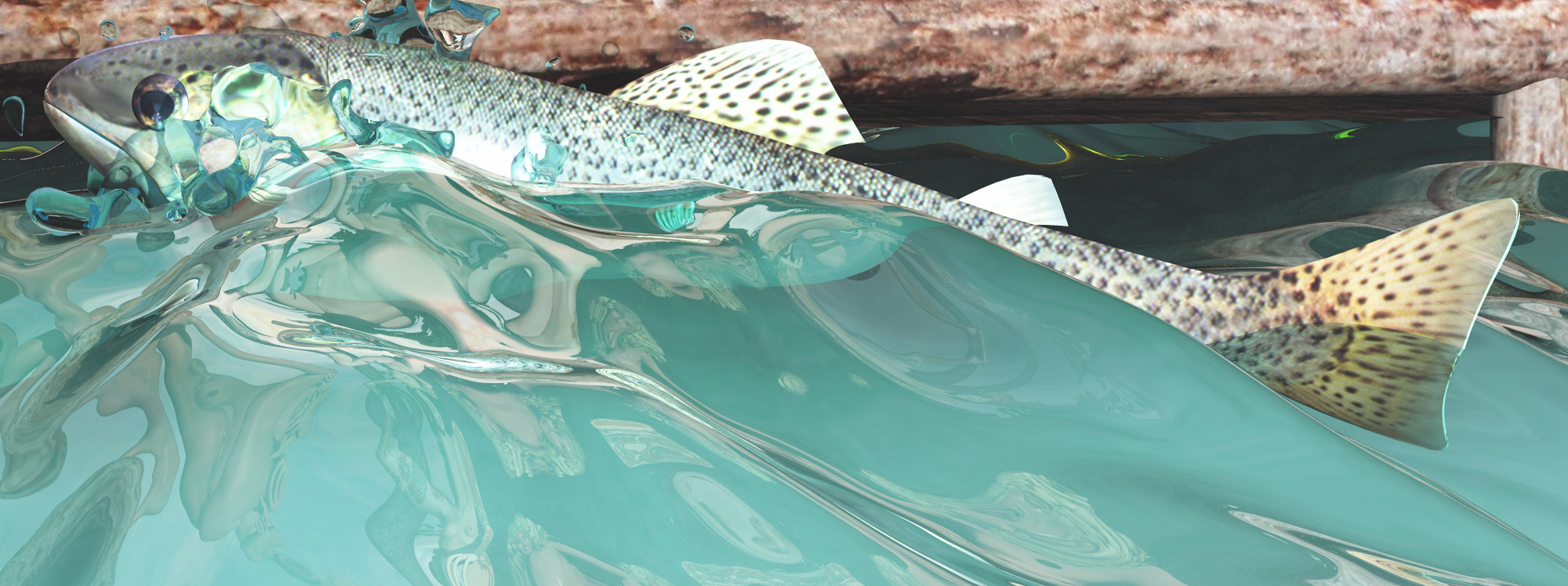
And so I get at the next complexity, which you’ll probably guess from this image:


I didn’t post the complete image, since there’s a naked fisher-woman who’s about to spear this fish, but you can see it clearly: water.

Problem 4: Water reflects and refracts and has a very variable shape. And fortunately, the original image at 3200×2400 rendered within 12 hours, simply because it only showed water, and a few naked models on top of a wooden construction. But I’ve decided to make the water very wavy, so the fish would rise up from the water. To add to the complexity, I added splashes around the fish. Yeah, more polygons. And because water reflects and refracts, it just takes some time to finish. For distant water, turn off the transparency to speed up the result, since at long distances, there’s no need to see what’s under the water surface. (Unless you’re looking from a great height down on the water surface!

So the four major problems with rendering landscapes are image size, number of polygons, number of lights and the complexity of water-like materials. There are a few more problems that will slow things down, but these are the ones you’d best be aware of when you’re just starting.

And of course, you could wonder if I use half-dressed or even undressed models in my art to cut the number of polygons, but no. A Poser model will probably add a few hundreds of polygons and my system can handle this. A single tree will be just as complex. Besides, the clothes would hide the model from view so it’s effects are small.

No, the reason for the lack of clothes in my models is because it’s easier to create them in Poser. As I said at the top, clothes adds complexity to the pose. Things always tend to stick through clothes, like parts of the arms or legs, belly, breasts and occasionally hair. Clothes can be too wide, too long, too rigid in shape to make them work with the rest of the pose. For example, I have a suit of armor for my model, but the chest size cannot be adjusted so my models need to have a specific chest size, else it won’t fit. I also use models with different lengths, and clothes are often set for specific lengths, forcing me to re-size the clothes and doing more checks. So, the naked ladies are just me being lazy…