Business is War – The image!

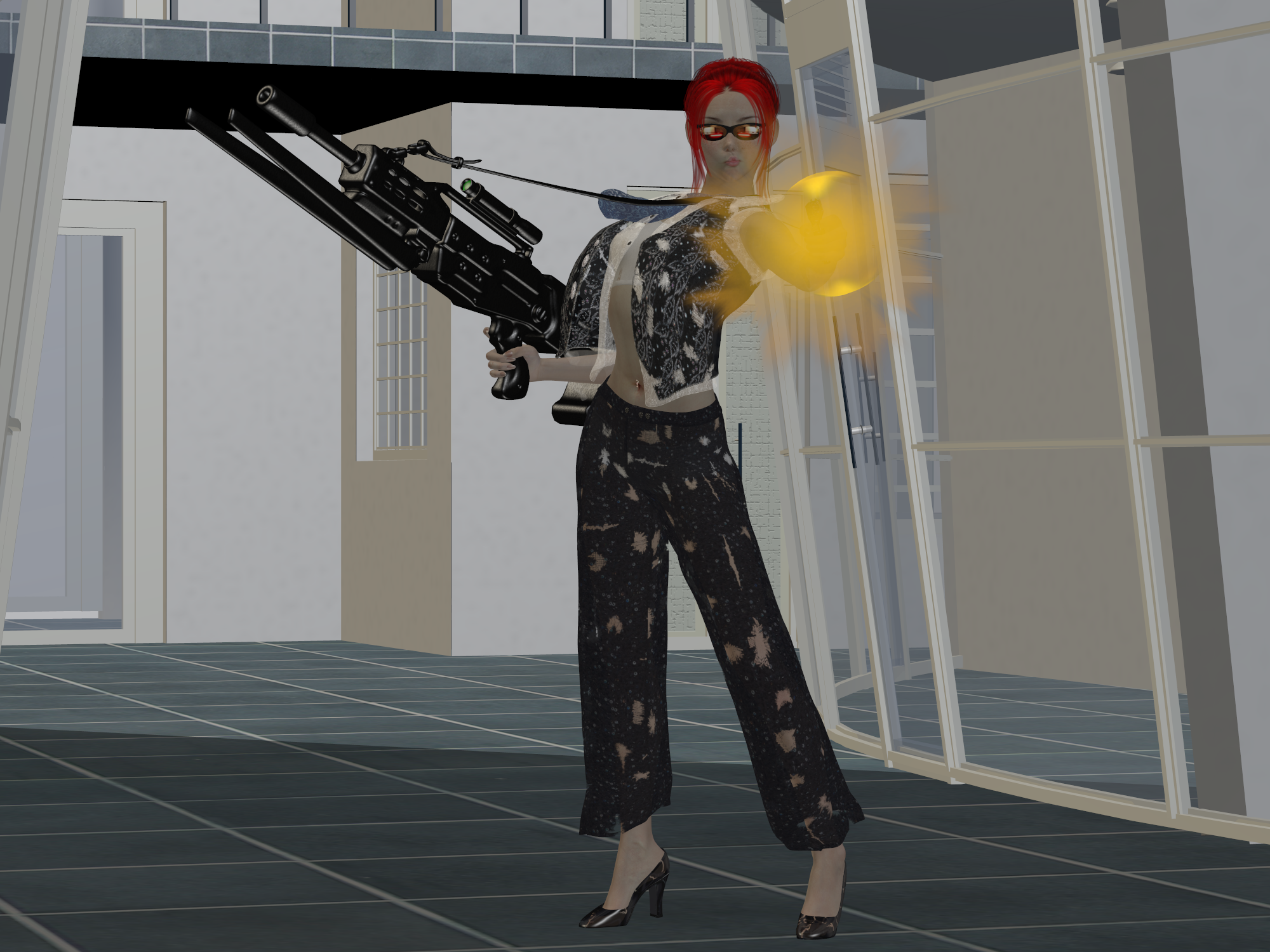
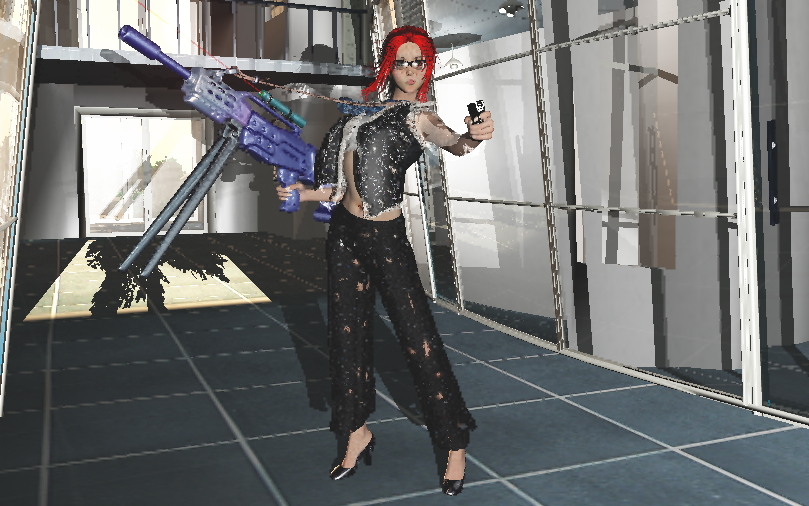
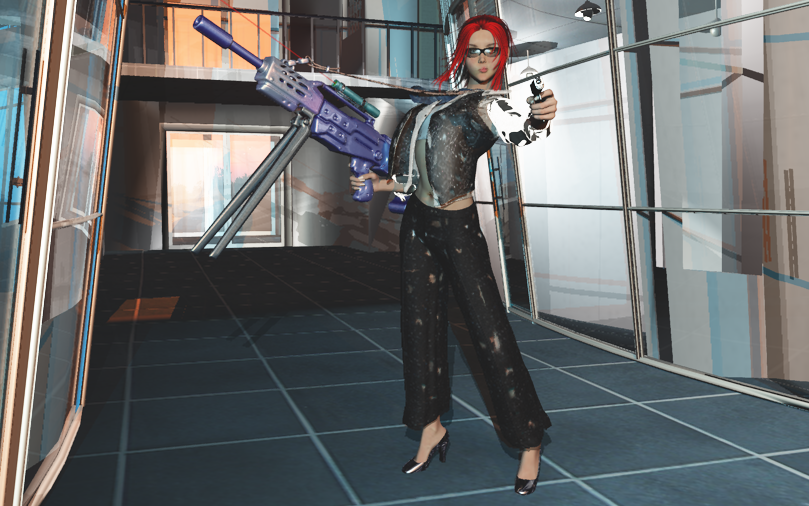
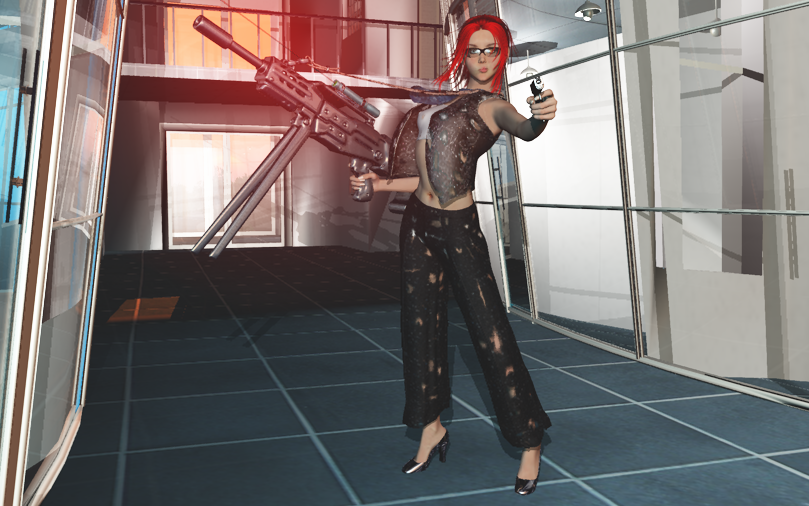
And here’s an update for my previous post! I expected this render to take a bit longer, especially since it started a bit later than I wanted. I had to make one more final fix, so I started rendering and watched some TV on my computer. My monitor also happens to be a TV screen so that makes it easier for me.  I started around 21:00 and now, at 22:25 the image is finished!

I did already notice a few flaws, though. But those are very minor, easily forgotten. Well, okay… Her hair is poking through her vest on her left shoulder. And her right shoe is a bit too low so it goes through the floor with its sole. And her belly piercing is slightly in front of her belly instead of sticking through her belly. One place where things must poke through other things and it just didn’t happen!

I like the fact that I took away the blouse. This way, her bikini top is better visible and you can notice that it also has a few tears. It makes her more attractive, while she’s still a bit intimidating and that’s needed, because something should balance out with her weapons! Also very pretty is her shadow, and even the hole in her pants that’s visible in her shadow so I’m glad I did make that last lighting adjustment.

Still, one other flaw I just realized. The scope on her gun isn’t supposed to be a laser-sight… Oops! 🙂

Business is War – creating CGI art.

This time, I want to show how I use Poser Pro 2012 and Vue 10 Complete to create the CGI art that I like to create. And don’t worry since I will keep it decent. The amount of time I’ve spent on this is about three hours, although most of the time is used by waiting for the rendering to finish. Time, which I could use to do other things, like playing Freecell or just to browse the Internet.
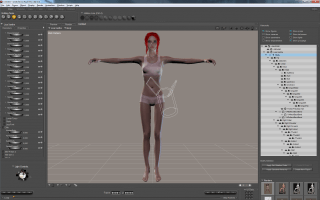
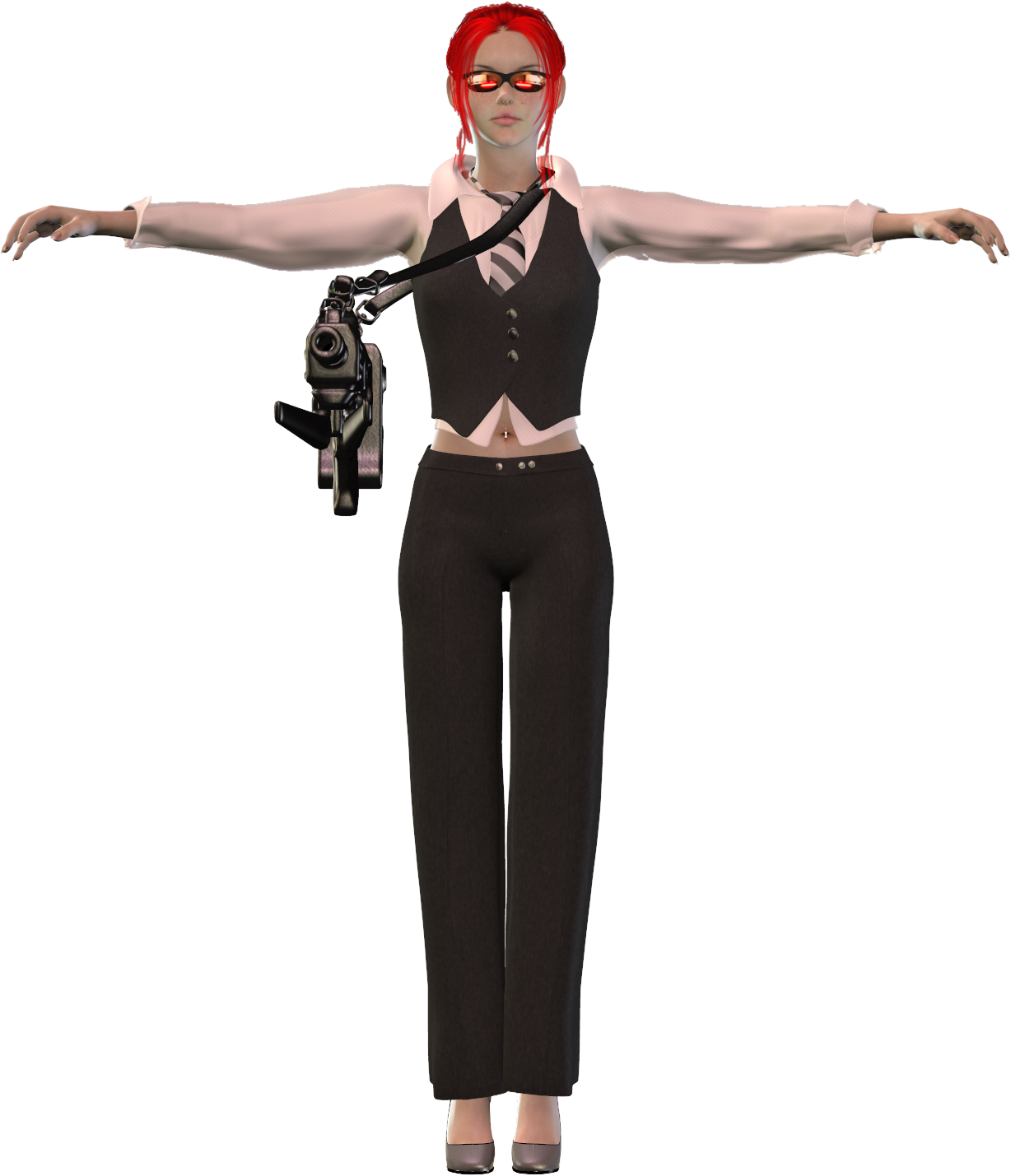
First, I have to choose a model. Since I have several pre-made models, I chose the one I like to call “Lisa Xanthe”, a redhead with a very nice shape. And since I’ve promised to keep this post decent, I’ve already given her some clothes that she will wear under the other clothes that I will add later.

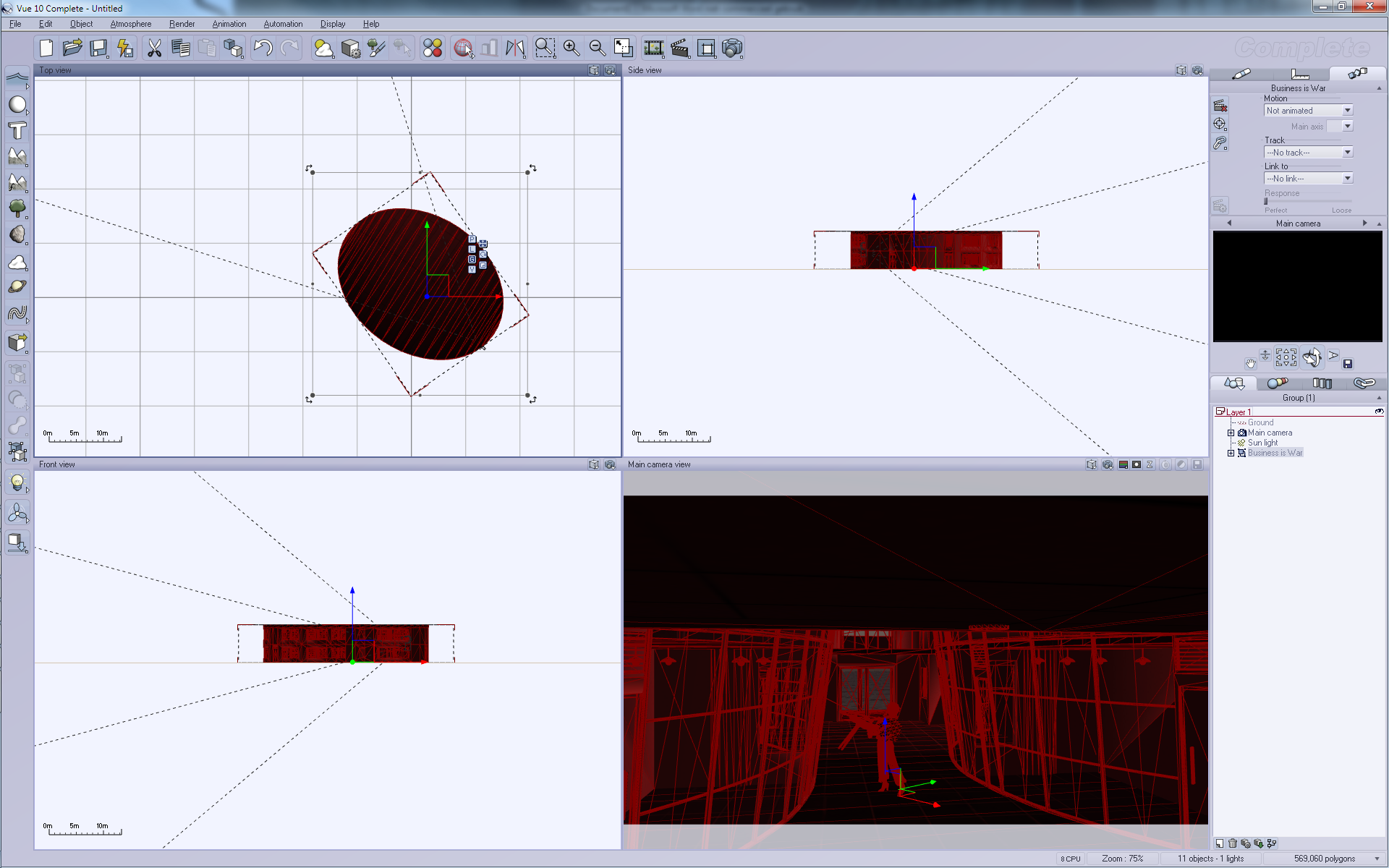
Here you see the basic screen of Poser. On the left are dials that you use to set parameters for the model. On the right you see an overview of all the parts within the model. The white lines in the middle screens is actually a spotlight that’s used to add light to this scene. Without light, it would all be black.

On the dials on the left you can already see that I can adjust quite a lot of parameters on this model. Size and shape of her breasts, hips, arms and legs and whatever more. Basically, all I use for my work is a single model with a lot of different parameters. And yes, those parameters can make her appear younger, older, larger, obese and even pregnant, if you’d like.
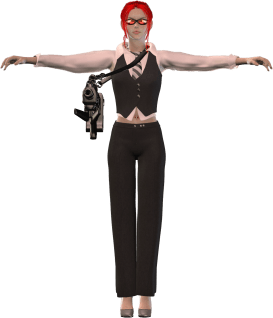
I then decided to add clothes. I have a set of clothes called “Cuore di moda” and this makes her look a bit like a woman who likes to do business. Yet it’s also sexy enough to make her more like a gangster-girl or even gangster-boss. It’s very fashionable.

I combined it with a machine gun from a set called “Elay V4” which isn’t available on DAZ3D anymore. I will later also add a handgun to this all but for now I still have to think if she will hold the gun with one or two hands…

Her glasses are from Fawne V4 which is also a very sexy set of clothes, but I didn’t consider it the right clothes for the scene I want to create, which I’ve called “Business is War” in my mind, although the final image isn’t really clear about the ‘business’ part…

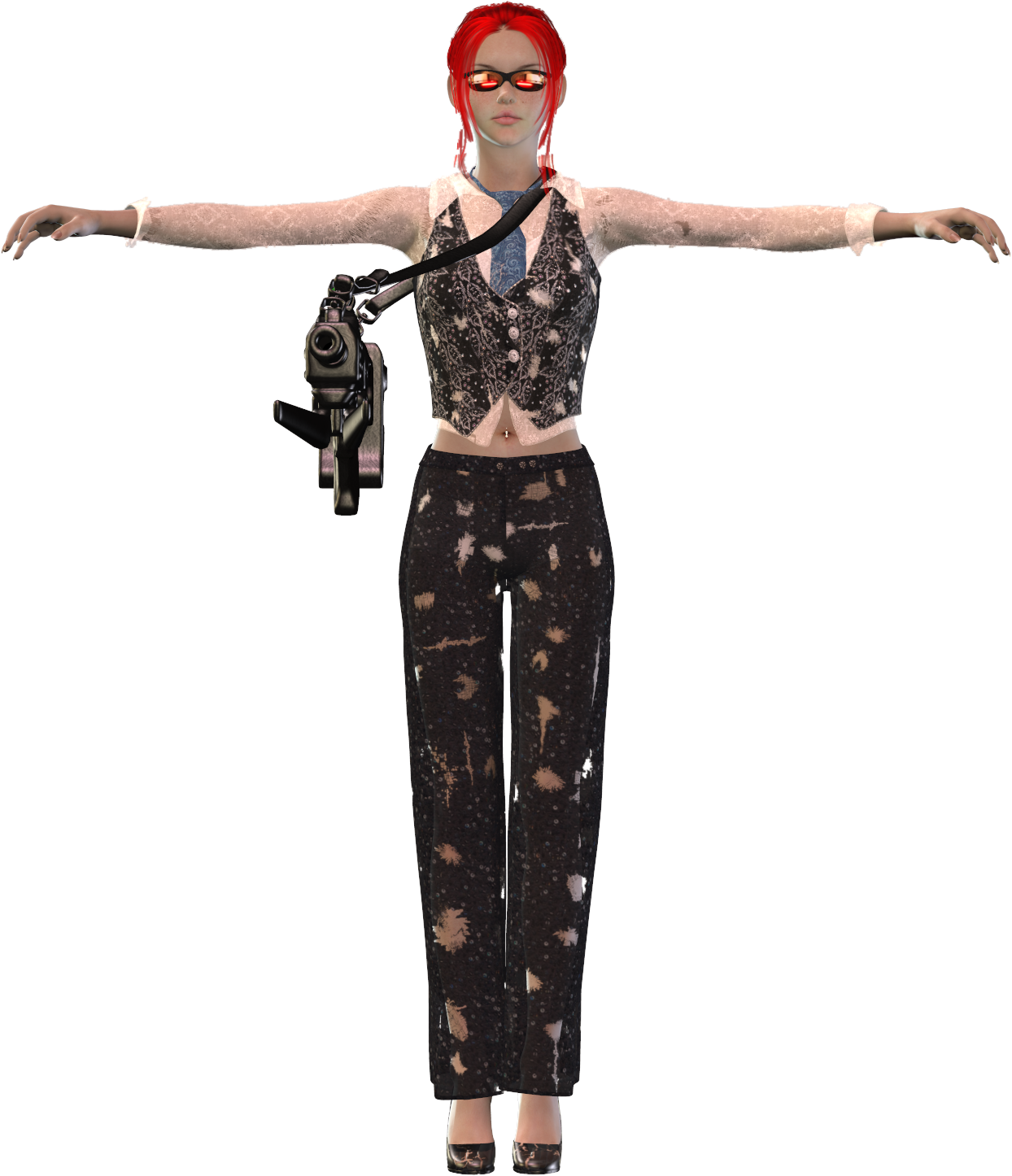
Anyways, the clothes look good, but I need this girl in true battle-mode with heavily-torn clothes! So the fun of tearing up her clothes begins! This is done with the Rag-erator for Poser.
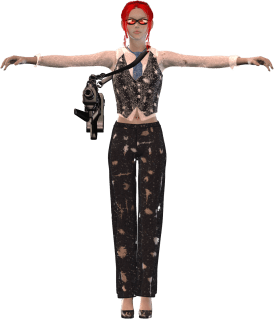
If she wasn’t wearing that bikini top and bottom, you’d probably see some naughty parts now…

But before tearing it all up, I did change the textures on those clothes.

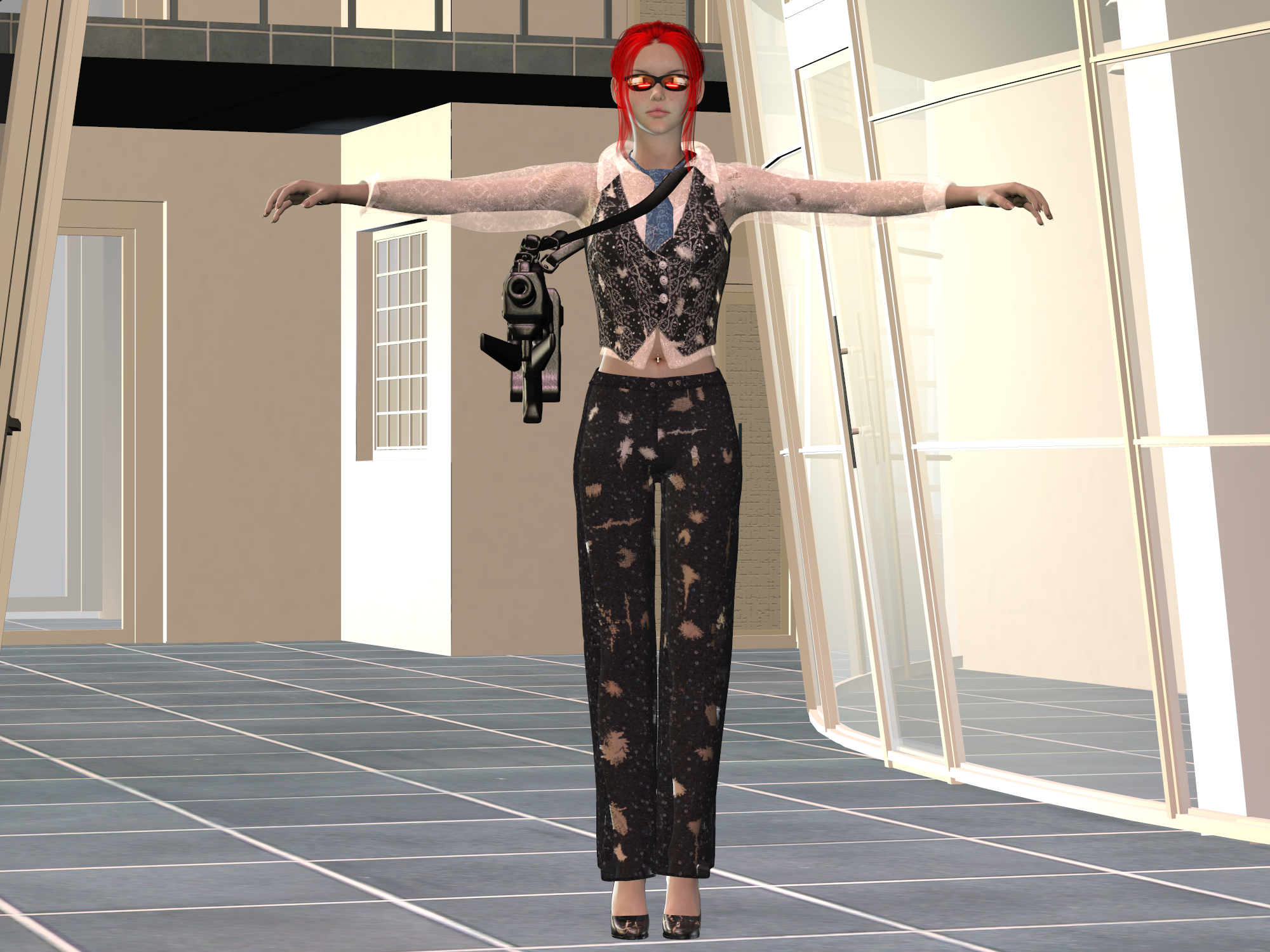
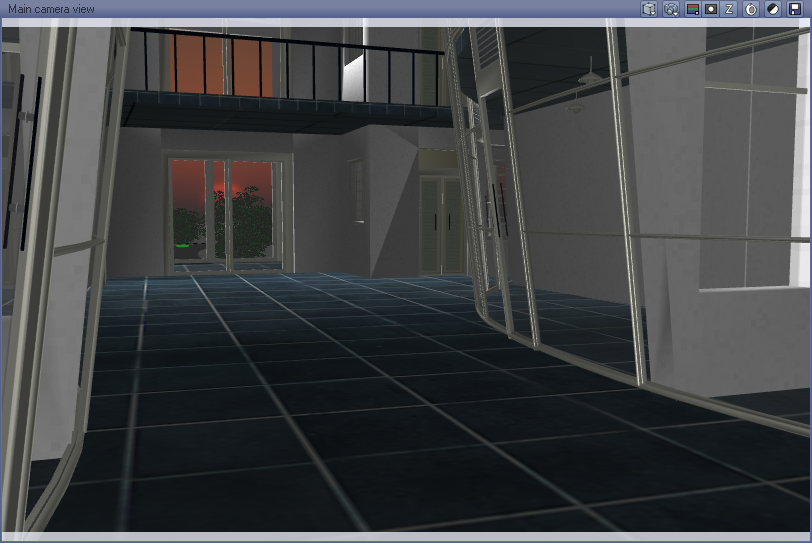
Next,I have to add some background-prop. I decided to use a crime lab without equipment to look a bit like a shopping center. 

I like this because of the glass windows and the doors in the background. And although I already place it in a way where you can see the back wall, this will not be the final angle at which I will render the final image.

But before I export it all to Vue, I first need to make Lisa pose in some way. I want to make it appear as if she’s firing that gun so I ended up with the following pose:
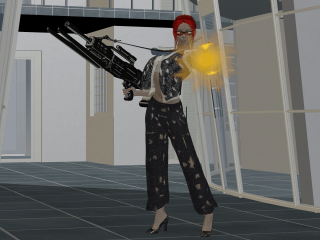
But after some considerations, I decide that I still don’t like some things within this pose so I adjusted her hair, added a laser light and made a minor alteration to her machine gun, resulting in the next image:

And that will be the complete scene that I will export to Vue. Just some minor checks to make sure nothing is poking through something it shouldn’t poke through and hoping everything is complete.
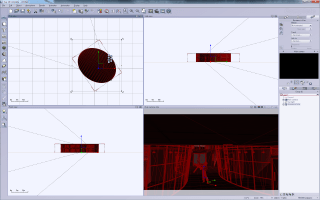
The imported pose isn’t in the right camera location but here, you can see the parts that make up Vue.

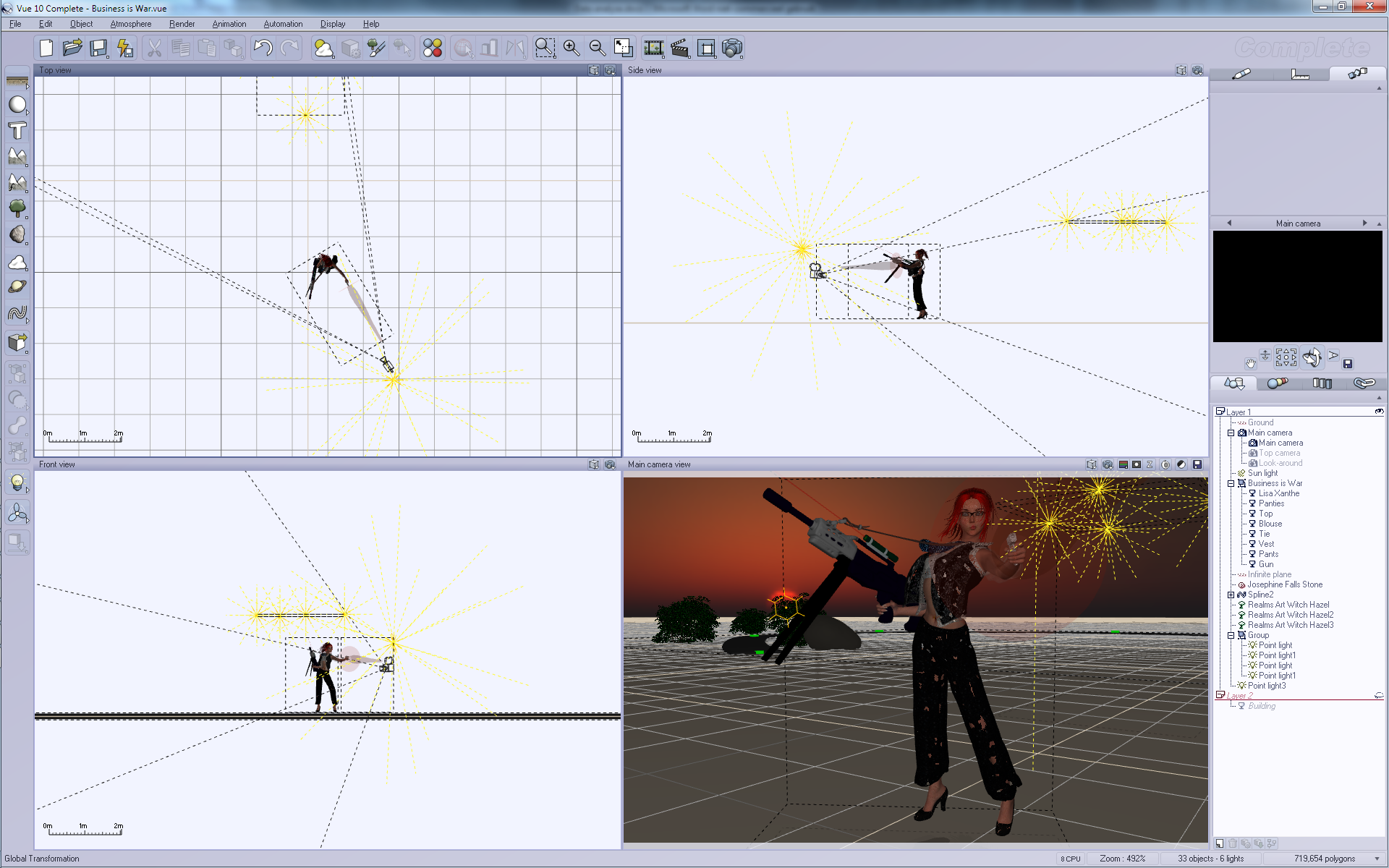
Vue provides four view-ports so you can see your model from different angles. Poser also provides such a view but I don’t like it much because you’ll also see less details so you have to move around a lot to check everything.

On the right you can see the layers and the location where I can alter the textures and materials I want to use. I will be using those options to e.g. change the glass, make the gun more shinier and to re-position certain things.

On the left, you can see buttons that I can use to add more objects to my scene. Well, I will be adding a large rock, three trees and a road somewhere behind the back door and I will add a few lights inside the room on the right and a few more close to the camera. The sun will be positioned behind the back door and will shine through the window in the back.
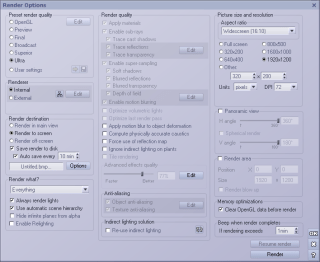
Considering the proper render settings is always a bit difficult. I chose ‘Ultra’ because my machine can handle this but for complex scenes the use of ‘Ultra’ will take many days to finish. I also chose an aspect ratio of 16:10 which matches my screen resolution of 1920×1200. Rendering the whole thing to screen will allow me to see it’s progress.

Once I’ve chosen my preferred settings it’s time for a quick render preview. 
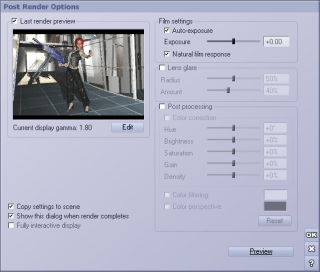
I am reasonable happy with this result already but it’s far from perfect. Let’s look more closely to this preview:

The light is too hard and it reflects too much in the back door. Also, the sunlight is too dominant, obscuring everything behind the door! And I might want to alter some more materials… So to look more closely at details, I split things up over layers. And to hide the building, I move the building to the second layer! Now I can use my camera to look around Lisa to make sure she’s looking okay. Lowering the sun a bit and then I’m ready to look at the second layer.In the second layer I just examine the building, making sure the road in the back ends at the door and checking the lights.
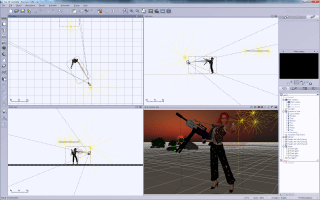
Things are nearly finished now, although I still have to check if things are really okay. So, the first pre-render:
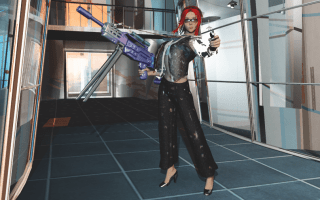
And I’m not happy with it. Her white shirt is too white and it just doesn’t look good. I could return to Poser and remove it but I can also do that in Vue itself. I just disable it!
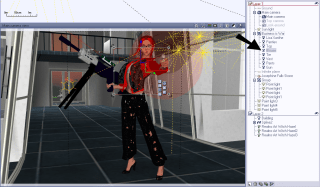
Once disabled, I can render the image again, which results in the next pre-render:
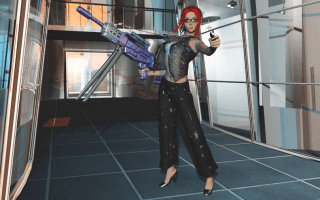
Here, I’ve already lost two details in my image. The muzzle flash from her gun had already been removed for being too dominant in the image and now the shirt is gone too. Fortunately, she’s still wearing a bra so things stay decent enough to avoid the [NSFW] tag.

But there are too many shadows, so a new pre-render is required:

And I decide to make the laser light more dominant by adding a strong, red glow to it. And I will change the colors of the machine gun! So now we get the next pre-render:
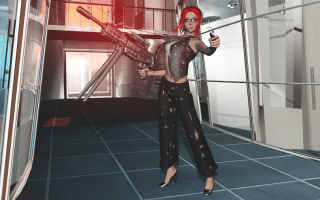
Here, I’m still not happy with the lights and shadows. So I adjust them even more! There are actually a total of 8 lights in this image! Four are in the room on the right, which makes that window extremely white. There’s a sun far, far away in the background. And there are three lights around the camera, all of them emitting a special glowing gel-light. One orange, one blue and the last white/blue. The white light is the one that casts shadows, the other lights just add more color contrast.

That last image will be my final pre-render. It is now Wednesday  20:25 and I will start the real rendering step, rendering this image at a whopping 3840×2400, four times the resolution of my screen.

Why? Because I can!

Anyway, I don’t know when it will finish so I will start rendering and check once in a while to see how much has progressed. Once finished, I will post the final result.

Creating landscapes…

I like to create CGI images and I use Poser to set up the model, add clothes and other props and then put them in a specific pose that would generate an interesting image. That sounds a bit complex and to be honest, yes! It is complex, because you have to consider many small things to get the best result. It’s a bit like programming, actually. You start to think about an interesting design and as you advance with the project, you’ll have to focus on smaller and smaller details. At first, it’s thinking about clothing and poses, next you have to check if the clothes fit good enough. Then you have to look even closer making sure no small items are poking through the wrong places. Nails from fingers, for example, when your model is touching something.

But hey, that’s one part of the whole process. I want to talk about landscaping! And for this, there are two interesting tools that are available for free! There’s Bryce from DAZ3D which happens to be a great tool. It’s available for both Windows and Apple’s Mac systems. I’ve downloaded it in the past, just never started to use it. Instead, I use Vue 10 Complete which is a bit expensive when you’re just starting since, hey! It costs money! So, if you want to start for free, get Vue 10 Pioneer instead! The difference? Well, you will be missing a few practical tools like importing models from Poser, and you’ll be missing some extra content. But, it’s a start.

Setting up a proper scene isn’t that difficult, although you will need a lot of patience, since rendering landscapes takes a lot of time. This is especially true when a lot of details in your image. I’ve rendered images at sizes 4000×3000 pixels with highest quality within 20 minutes, but those had just simple details and barely any reflections. I’ve also rendered a battle between a female warrior and a big dragon, far above the clouds with the landscape far, far away in the back. It took over 6 days to render and this is the result:

To be honest, the original size was 4000×3000, which happens to be huge, even when rendering with 64-bits software on a system with 24 GB of RAM. And part of the complexity are the clouds, which both reflect and refract light. And even though I didn’t much detail in the ground, the terrain that’s visible also happens to be a huge area.

So, problem one with rendering landscapes it that you need to be patient or just have to accept smaller images.

Would this image render faster if I hadn’t added a Poser model in the foreground? I don’t think so, since the model actually make the image less complex! It hides the items behind it, and those items would be harder to render because of transparency and shape. There are no shining items in the model, so it doesn’t reflect much, and the only transparent part happen to be the hair of the woman and the wings of the dragon.

Of course, the most complex part of landscapes are plants and especially grass. An image that I managed to render quickly just didn’t have much details. A starry night with a strange sun, one tree in the background and the top of some castle. This combined with a female warrior fighting against a lizard-man resulted within 30 minutes in the following image:


And why did it render that fast? Simple! The sky has no clouds and except for the tree on the right, the number of polygons happens to be very low. It’s not one of my best artwork but it’s a nice example of something that can be done fast, and tells us about the next problem…

Problem number two: the more polygons your image has, the longer it will take to render. And please do realize that plants will generate a lot of polygons. Filling your landscapes with trees and grass might turn a render-time from hours into days.

To solve this, try to cut the number of polygons in your image by, such as only adding details in front of the camera, and not all around the terrain. And putting simple objects in the foreground will remove the more complex details in the background, except when the foreground object is semi-transparent.

Although clouds can result in some complex images, they do become less complex when there’s just sky behind them. You could, for example, generate an image with a female warrior riding a dragon with a floating castle in the clouds, like this one:

It took over 10 hours to render, even though I’ve kept most of it quite simple. The reason for the delays were the clouds in this case, which had to show part of the terrain and castle. By avoiding a lot of plants and grass and just using a simple texture for the terrain, I did manage to keep the render reasonable fast. Also, not having too many light sources helped a lot.

Problem 3: each additional light source or glowing object will add to the complexity and thus to the total render time!

Still, you can reduce the influence of those lights by editing them as objects, and limiting the things that they would shine on. For example, you could add a light in the foreground which would only light up the dragon and warrior models, but not the terrain or clouds. That way, the objects in the foreground become more clear. (You might also want to turn off shadows for those lights!)

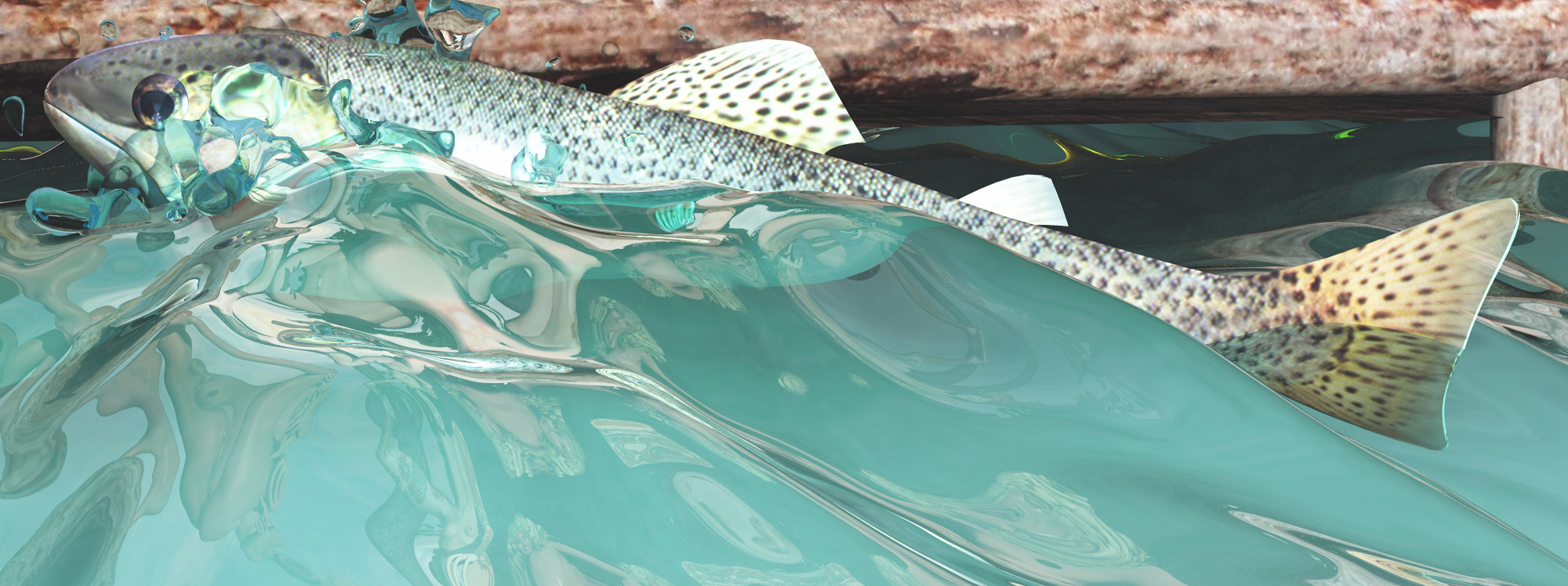
And so I get at the next complexity, which you’ll probably guess from this image:


I didn’t post the complete image, since there’s a naked fisher-woman who’s about to spear this fish, but you can see it clearly: water.

Problem 4: Water reflects and refracts and has a very variable shape. And fortunately, the original image at 3200×2400 rendered within 12 hours, simply because it only showed water, and a few naked models on top of a wooden construction. But I’ve decided to make the water very wavy, so the fish would rise up from the water. To add to the complexity, I added splashes around the fish. Yeah, more polygons. And because water reflects and refracts, it just takes some time to finish. For distant water, turn off the transparency to speed up the result, since at long distances, there’s no need to see what’s under the water surface. (Unless you’re looking from a great height down on the water surface!

So the four major problems with rendering landscapes are image size, number of polygons, number of lights and the complexity of water-like materials. There are a few more problems that will slow things down, but these are the ones you’d best be aware of when you’re just starting.

And of course, you could wonder if I use half-dressed or even undressed models in my art to cut the number of polygons, but no. A Poser model will probably add a few hundreds of polygons and my system can handle this. A single tree will be just as complex. Besides, the clothes would hide the model from view so it’s effects are small.

No, the reason for the lack of clothes in my models is because it’s easier to create them in Poser. As I said at the top, clothes adds complexity to the pose. Things always tend to stick through clothes, like parts of the arms or legs, belly, breasts and occasionally hair. Clothes can be too wide, too long, too rigid in shape to make them work with the rest of the pose. For example, I have a suit of armor for my model, but the chest size cannot be adjusted so my models need to have a specific chest size, else it won’t fit. I also use models with different lengths, and clothes are often set for specific lengths, forcing me to re-size the clothes and doing more checks. So, the naked ladies are just me being lazy…

Life wants me to stay at home today…

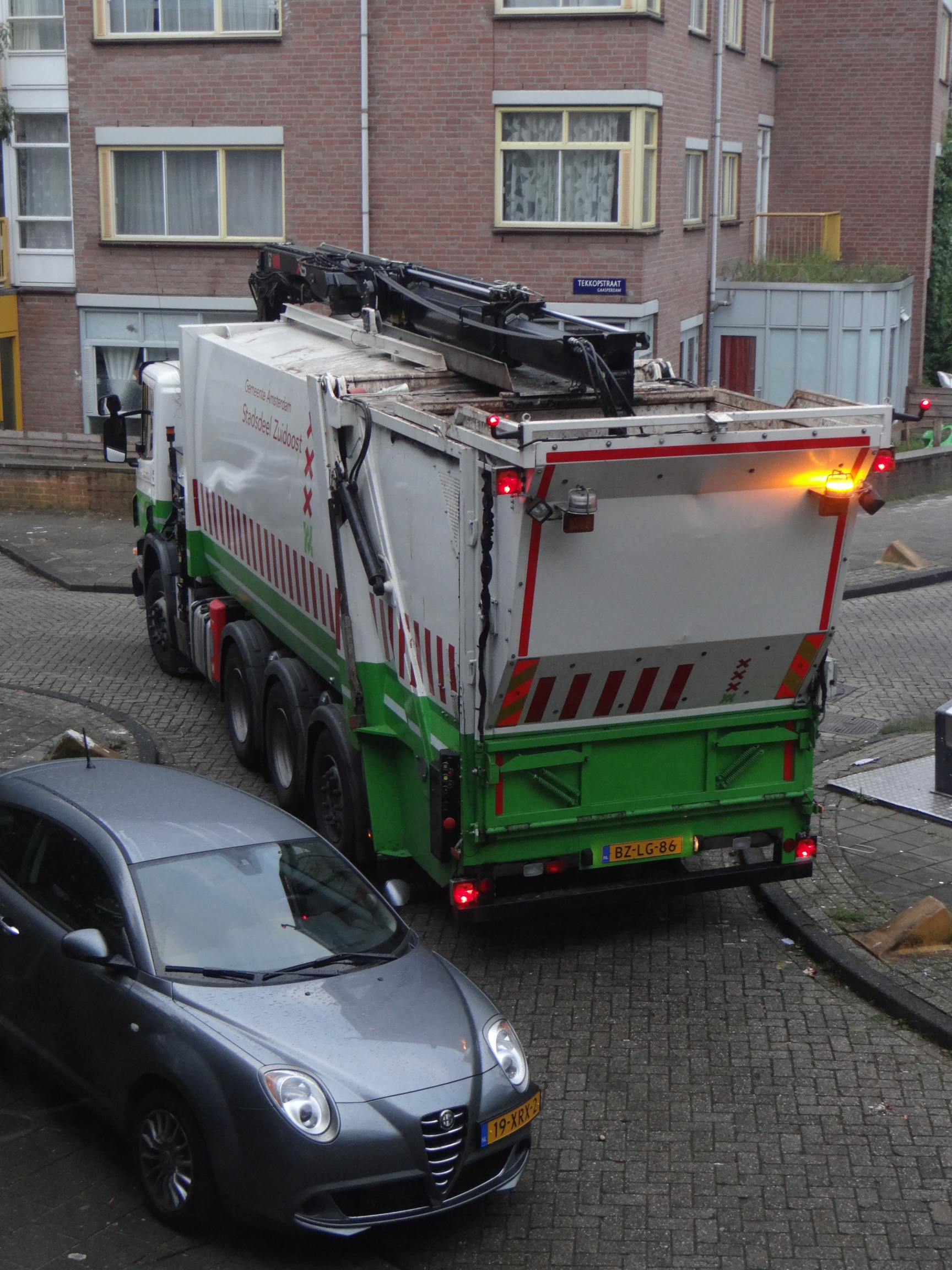
Oh, well. It promised to be a nice day, good weather and am feeling a bit better since the shitty feelings I had yesterday. So I get in my car, want to drive out of the garage and poof!


Yes, this is what a garbage truck looks like in the Netherlands. And yes, yo pick up the container containing the garbage, it has to go backwards in the street that leads to my garage door. The crane on top will pick up the container, empty it in the back-end and then put the container back in its hole in the ground.

And to do so, the driver has to step out of the vehicle to keep an eye out on the whole thing. And every day this goes well and tales about 30 seconds or less.

Not today As I am writing this, it’s still parked in front of the exit of my garage. A few other cars are actually blocking me from taking an “off-road” route around it. So I have to sit down and wait for it to be removed somehow.

Why? Because today, the driver had a copilot whom she was explaining how it all works. And when she got out of the truck, he too got out of the truck. And if only one of them had remembered to take the key with them, they would have been gone in 60 seconds.

Funny, isn’t it, that when you forget your key in your car, the door will always lock itself magically, leaving you standing outside, desperate to get inside again…

Oh, well. Shit happens. I went back inside my house, took a cup of coffee, took this interesting picture and started to work at home. At least one of us can still do something useful while being locked up here…

The search for non-sweet snacks.

Recently, I decided to cut the amounts of sweet food-items that I eat every day. And, as it turns out, that turns out to be an interesting challenge when you’re looking for something to snack. Because most snacks seem to be made of mostly sugar with some other flavors.

But first of all: why? Well, I have a weight problem and I am a diabetic. Those two things are related to one another so I just have to bring down my glucose level to average levels. And well, pills will do this for me, but I hate to take those pills every day. So I need to adjust my food pattern to take less things that contain (lots of) sugar.

Of course, there are snacks that are sweetened with artificial sugars, that won’t increase my glucose levels but they don’t take away the craving for sweet food. It fools my body with fake sugars and my brain continues to think I’m just eating sugars, but it also maintains my addiction to sweet food. And it’s amazing when you realize that people can get addicted to the tastes of sweet foods, especially snacks.

My daily meals are already avoiding most of the sweet food items. Bread, for example, is slightly sweet but add peanut butter or cheese to it and you barely taste it. Dinner is often a piece of meat with additional veggies and/or potatoes and those don’t really taste sweet either. No sweet-tasting desserts and well, I admit… I like to start the day with a bisquit and raspberry jam, or marmalade. Then again, I also start every day with a cup of coffee, black with one sugar. But I consider this okay since people need sugar, especially when you’re starting the day. But basically, after breakfast I will try to stay sweet-free.

But the real problem is when you feel hungry in-between breakfast and lunch, or in-between lunch and dinner. Or worse, after dinner when you’re looking at a good movie. Popcorn can be an option if it’s the non-sugared version but that’s a salty version. Too much salt isn’t good either, which is why potato chips aren’t that good either. So, peanuts and other nuts make okay snacks. I could consider all kinds of fruits but fruits tend to taste sweet, and it’s the sweet taste I’m trying to avoid, not the sugar.

So, what other kinds of snacks are there? I could eat a piece of cheese, some sausages, nuts, carrots, chips or just turn on the fryer and bake something we Dutch people call “bitterballen“. Fatty, but not sweet. But after these, I tend to run out of options and besides, none of these seem to be available in local shops in small half-pound bags for a nice-sized snack. If you want snacks that are packed in small portions, you tend to end up with a lot of sweet stuff, including cookies, lots of candy an even certain kinds of sweetened chips. And although they do sell sugar-free products, most of those are still sweet.

And as I said, I don’t want sweet snacks.

So, here’s my dilemma… I want non-sweet snacks, not sugar-free snacks. And those are hard to get. Supermarkets are basically selling just sweet snacks. Such a shame…

Getting the eyes just right.[NSFW]

I love creating images using Poser and Vue. Poser is great to create a model based on existing models that’s imported in Vue. And Vue will add the additional landscape, larger objects, plants, water, cloud and lights. The final result can sometimes be very stunning. Unfortunately, there are always some small problems in each item because of flaws while posing the model in Poser. Or because the landscape in Vue overlaps the Poser model.

One flaw tends to be the eyes on models. Each model has two eyes and you need them to look in the same direction. And you’d prefer them to look in a specific direction. So, what’s my trick for this? How to get a model to point her eyes e.g. upwards, because she’s under water, on a huge hook and surrounded by fish? Or have three girls in the grass looking at the same point?

Well, it’s not too complex. I just add a simple primitive, often a ball, to my models. Just one. I also make it invisible so it won’t appear in the rendered result. Once done, I select the left eye of the model and using the “Objects/Point at” menu, I point the eye at the ball. I repeat this for the right eye and the eyes of the other models so all eyes are pointing in the same direction.

Next, I have to move the ball in the direction that I want all models to look at. This means moving it over the X- and Z-axis, preferably far away from the models, else they will become a bit cross-eyed. Then, move it up and down to point them upwards or downwards, and don’t be afraid to put it at -100 on the Y-axis to make them look a bit down.

When dealing with multiple models, like in my image below (which has nudity, thus it’s not suitable for work environments), you might have to do more adjustments. Often, this means that you have to twist and bend the necks and heads of the models while looking if their eyes are put in the correct locations. Since the eyes already point at the right direction, all you have to do is adjust the heads and neck.

A drawback is when you have to re-position the model because that often means re-positioning the ball too. This is something important when you create an animation because you would then have to move the ball to the locations that your model is supposed to look at. But it does make your animated models look more natural during animations. It allows them to quickly move their eyes and even though it’s a very minor detail in animations, it’s still a very simple trick to make their looks more natural. Because the most important part behind this trick is that the eyes are both pointed at exactly the same spot.

And well, as you can see, the eyes aren’t the first things that you’ll notice. Most will notice the nudity in the image, which just happens to be very casual and peaceful. Others will notice that one model, Aisha, happens to be a cyborg with nice, shining body parts. And people will notice the background, the trees, and probably several flaws too. But when you look at their eyes, they’re all looking at the same point, since they’re all pointing at a ball that’s behind the camera. This makes them look straight at the camera.

The Jewish Samurai

There once was a powerful Japanese emperor who needed a new chief samurai. So he sent out a declaration through-out the entire known world that he was searching for a chief.
A year passed, and only three people applied for the very demanding position: a Japanese samurai, a Chinese samurai, and a Jewish samurai.
The emperor asked the Japanese samurai to come in and prove why he should be the chief samurai. The Japanese samurai opened a matchbox, and out popped a bumblebee. Whoosh! went his sword. The bumblebee dropped dead, chopped in half.
The emperor exclaimed, “That is very impressive! “The emperor then issued the same challenge to the Chinese samurai, to come in and prove why he should be chosen. The Chinese samurai also opened a matchbox and out buzzed a fly … Whoosh, whoosh, whoosh, whoosh! The fly dropped dead, chopped into four small pieces.
The emperor exclaimed, “That is very impressive!”
Now the emperor turned to the Jewish samurai, and asked him to prove why he should be the chief samurai. The Jewish Samurai opened a matchbox, and out flew a gnat. His flashing sword went Whoosh! But the gnat was still alive and flying around.
The emperor, obviously disappointed, said, “Very ambitious, but why is that gnat not dead?”
The Jewish Samurai just smiled and said, “Circumcision is not meant to kill.”

My thirteenth post!

Well, this is post number 13. Fortunately I’m not superstitious so I’ll just post this one. I don’t mind black cats that walk past me. I’m not afraid to walk under a ladder. And when I break a mirror, all I do is to make sure I don’t step in a splinter with my bare feet. So I’m not afraid. Nothing bad is gonna happ7%$#@…

It’s official! I’m a Pirate! Har! Har!

Well, I’m official a member of the Dutch Pirate Party! (PiratenPartij in Dutch.) Why? Because, as a software engineer, amateur CGI artist and hobby photographer, it is important for me that the current copyright laws are adjusted. I do think that copyright is important for artists, but the current laws are abused, and abused in a very bad way. They’re abused to prevent new works, to prevent innovation and worst of all, to enrich those who aren’t artists themselves but who employ artists and then take the profits.

Yes, copyright can be important but there are several large organisations who have a lot of cash to spend on lawyers who are stifling new developments out of fear that they lose profits to the competition. Musicians are complaining about other musicians because a word from their lyrics is used by the others. Photographers are complaining about other photographers because those others also took a picture of a cloud in the shape of a cloud. Movie directors complain about other movie directors because the competition also made a movie where the main character happens to be a woman in jeans. These silly claims have nothing to do with copyright. These things are meant to kill off the competition since these organisations can’t handle any competition!

The same is true with patents. Pharmacies create medicines for several rare diseases but these medicines cost what I make in a year to keep a patient alive for a month. Yes, some pills are that expensive! And sure, the costs of developing it might have been high but pharmacies use dirty tricks to keep patents on these pills for longer than they would normally have. Normally, the patent would last 20 years. But by making minor adjustments to the formula as “improvement” they create a new medicine with a new patent for another 20 years.

And then there’s this annoying thing called “privacy”. Well, we all think we have nothing to hide. But if this is true, then why do many people still wear swimming trunks at the beach and in the local swimming pool? Why do people turn off the light when they have sex? Why do people hide their diaries? People always have things to hide, things they’re either ashamed off or that might hurt the feelings of other people. Privacy is important! I want to keep my email address secret, else spammers will fill my mailbox every day with all kinds of malware, advertisements for blue pills and notifications that there’s one million dollars waiting for me in Nigeria. I want to keep my bank account a secret, else someone else might visit my bank and empty the content of my account. I want to keep my phone number a secret so strange people won’t call me in the middle of the night just to have a talk with someone they’ve never spoken with before. And I want to keep my name a secret because… Wait a minute! This blog is under my name so it’s not a secret. So okay, you can know my name…

The Pirate Party in the Netherlands wants a few things that I would like to support, so I do support them now as a member. Can’t do much, since I also have a life sometimes but still, I support them. These issues are actually the only ones on their political agenda. There’s nothing about the financial crisis or the War on Terrorism or whatever else. Just a simple-themed political party. I support them and am not ashamed to support them. I know they’ll never become a big party. But they have a message that I consider very important. A message about some things that most people don’t seem to think about.


Oh, well. Now I need a hook, a wooden leg, an eye-patch and a parrot. Already have the beard and wild hairstyle. Maybe a matching hat since a pirate in a Stetson just isn’t right. I like my Stetson, but still…

A generic data model.

A lot of developers will work on software that is doing some administrative tasks. And each and every developer will have to come up with a data model (or object model) which would contain everything they need. And most of the time, they will choose a model that solves their own specific situation but which is hard to change if something new is required. And that’s because developers are too busy looking for details and thus they won’t see the general image.

The general image is that you basically deal with just four kinds of data. No matter if you’re building a web-shop, in-house banking solution, patient record administration or complex financial applications, you always have just four kinds of data: items, relations, transactions and contracts. So let’s take a closer look at these data entities…

Items

Items are just what the name suggests. It’s something physical in general, although electronic data and other things could also be considered items. Persons are items. A complete household is an item. Companies are items, so are products. Animals are items. Phones are items. And most importantly, money is an item. Items are the things you’re going to administer.

Items can be unique. For example, a person is unique. But when you just keep track of the number of employees without looking at the individual, then you basically have an infinite amount. The same with money since each coin is unique, but your bank account can technically hold quite a lot of those coins. Or none at all. Basically, you could subdivide items into two parts: singular and plural items. But this is just a special property for the Item entity. You could add a field called “IsPlural” to the entity or create two child classes that you derive from the Item object. (SingularItem and PluralItem.)

Relations

Relationships are what connects two items with one another. And there can be quite a lot of relations. A person has a father and mother and most have four grandparents, although some might not be alive anymore. Many people also have children. Other relationships could be a bank account that’s owned by a person, a certain amount of money in this bank account and you could also think of the relationships between an employee and his employer.

Relationships can be very complex but keep in mind that there are just two sides on any relationship. examples: I have 10 dollars. Mary-Anne works for McDonalds. This envelope contains a letter. By keeping it simple, the data model stays simple, although you might need multiple relationships to describe certain situation, like employment, your bank account or perhaps even your mortgage.

Contract

This is where you will need a contract, although that might sound a bit of strange when talking about family relations. Basically, it’s just something that will connect items to other items through relations. And, often enough, the word matches the collection of relations just fine. For example, when you work for an employer you will deal with several different relations. First of all, the direct relation between employer and employee. But also the relations between employee and salary, plus employer to salary. But also you and your colleagues will be related, although that would be implied because the generic relation between employees and employer. And of course there’s a relation between you and the office where you work, you and the desk that you work on, or the computer that you use at work. There are plenty of relations that you can define but in general, stick to just those relations that matter.

Contracts not only maintain relationships but in general will contain some logic to change those relations or that are related to specific actions that need to be taken to maintain the relationship.

Transactions

However, there’s one more thing we have to be aware of. And that’s time. And time changes things. People might have a divorce, lose their job or easier: spend money. In the employment example, there are many transactions to think of. Salary happens to be a regular transaction where the employee receives an amount of money. The employer will have to spend this, and the tax office will also have a small claim on the amount the employer pays out. Again, just focus on the transactions that are considered important within your solution.

In general, there are two kinds of transactions. One that creates a relationship and one that breaks it. But a transaction also occurs on a certain moment in time, be it the past or the future. And often the connection between items will require multiple transaction to describe a complete situation. We have the employer who loses a certain amount to pay salaries. We have the tax office (and other offices) that will receive money related to the salary. And the employee will receive an amount related to the salary. And these relations are linked to a contract. The same contract that defined the relations between the items.

Transactions don’t have to involve money, although they often do. But if you buy a steak at the local butcher, you not only have two transactions for you losing money and the butcher earning money (who will lose some again for VAT) but there’s also the transaction of the butcher losing a steak and you gaining a steak.

Conclusion

When you’re doing the financial administration for a company, you will deal automatically with items, contracts, relations and transaction, even though you might not realize it. When you’re building software for a library to keep track of book loans, you also have a similar setup, where transactions determine who is lending which book and when it’s expected to be returned.

Even when you’re baking a cake, you could apply this data model. All ingredients and utensils would be items. The recipe would be the contract. The relations are basically simple since the item is either an ingredient of the final cake, it it is used to bake the cake. And the transactions are just describing how you should put the ingredients into a bowl, mix them, fill the pan, put the pan in the oven, remove it from the oven, remove the cake from the pan, add ingredients to give cake some color and additional taste and then use a knife to slice the cake and eat it. Each of those steps should be taken at a specific moment in time and the transactions will specify when it’s time.

It is a strange example but it shows how flexible the data model actually is. So look at your own projects and see if you can recognize these entities that I’ve just described. Most software will have entities with multiple functions, where e.g. a Person record contains a link to parent records or child records. Or links to employer, bank accounts or whatever else. In general, such constructions would severely limit your options. And although a person won’t have more than two parents in general, a person could have two or more employers. So sad if your system can only handle one employer…

And while you don’t have to use this data model for your own solution, altering your data model to match this one will improve the flexibility of your whole design.